
Finalizing Broker Data Audit
To finalize an Import Country/Broker combination, 15 out of 15 declarations with a
Passed
status are required. Once this happens, the Progress
column on the Broker Data Audit Management
screen will display a Finalize Audit
link.Once all 15 declarations are confirmed with a
Passed
status, click Finalize Audit
. Once an audit is finalized, it cannot be unfinalized.
Clicking
Finalize Audit
will open the Finalize Audit
pop-up. A note must be added to continue. After the note is added, click Finalize
to complete the Import Country/Broker audit and close the pop-up. To cancel finalization and exit out of the pop-up, click Cancel
.
The Import Country/Broker audit process is complete once the
Audit Complete
column displays a Yes
for the audit record.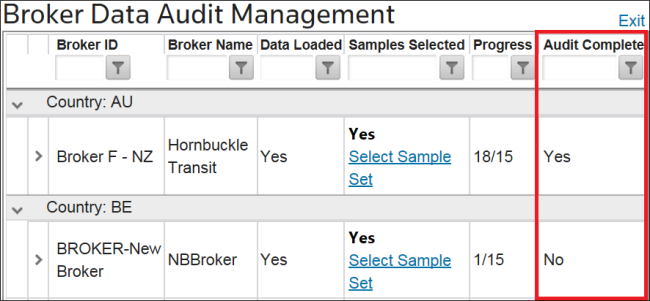
Related Content
-
Broker Data Audit Management
Format: Article