
Countries
Valid country data and currency codes must be maintained within the system.
Adding a New Country
To add a country to the system.
- ClickAdd Record.

- Enter the country data and then clickInsert.

Modifying an Existing Country
To modify existing country information.
- Locate the country in the grid and then clickEdit.
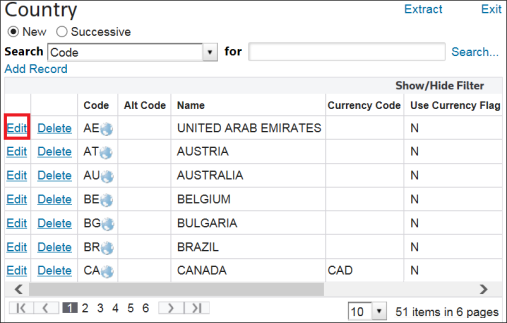
- Make any necessary changes and then clickUpdate.
Deleting an Existing Country
To remove existing country information.
- Locate the country in the grid.
- ClickDelete.

Related Content
-
IMMEX
Format: Article