
ABI: Daily Statements - Overview and ABI Statement Payment Types
ABI Daily Statements
can be utilized by customers with an Automated Clearinghouse (ACH) account with Customs. In order for this functionality to work, the client company must have a Payer Unit Number and a Payment Type Indicator.Preliminary daily statements will be sent to the customer after a CF7501 (Entry Summary) is accepted and based on the Payment Code.
The day the statement will be sent is also based on the “Statement Date” entered on the filed CF7501. Statements from Customs are sent in batch and will only be generated After a day.
These statements can be viewed in the
ABI Daily Statements
screen under the ABI
menu. The statement details are visible and can be printed from this screen.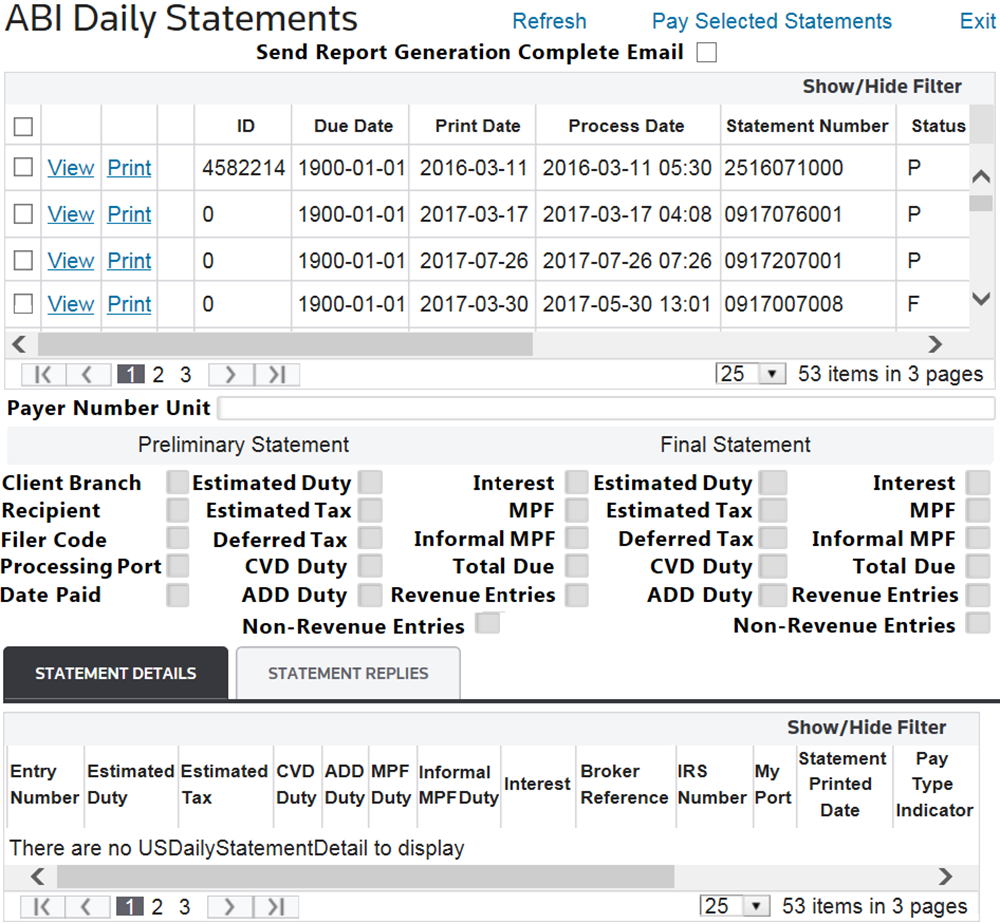
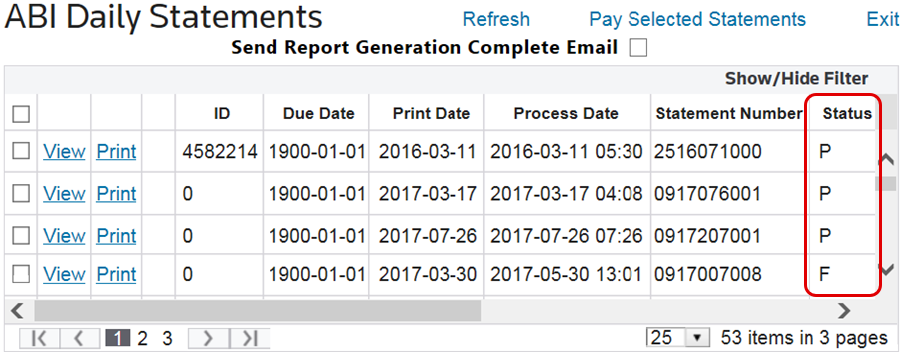
Status Column |
Meaning |
|---|---|
P |
Preliminary: this statement needs to be paid. |
F |
Final: this payment has been processed. |
When a statement has been paid, payment messages from CBP will display in the
Message
column of the statement.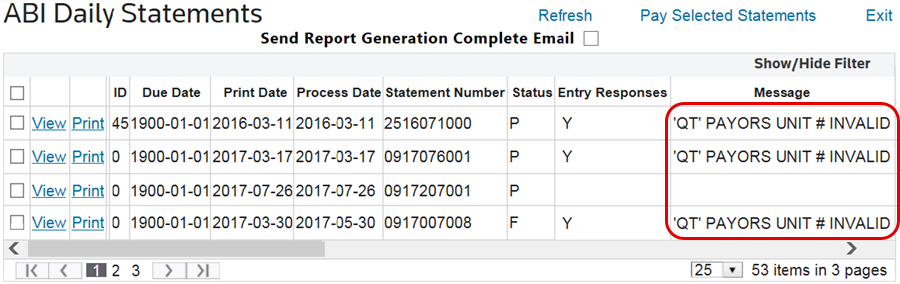
If a statement update has been processed, you will see any existing Entry Responses for the statement in the
Entry Responses
column.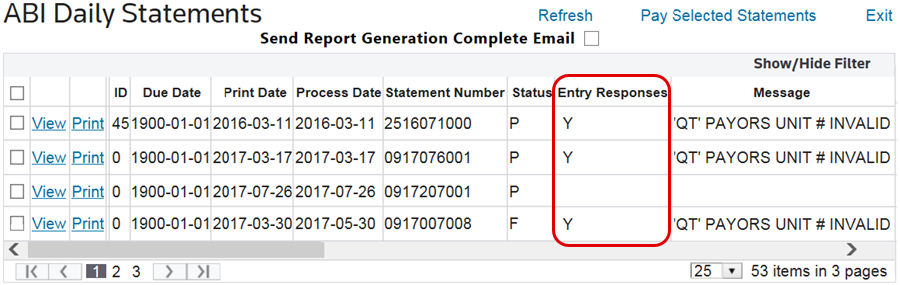
ABI Statement Payment Types
Payment types are how entries are batched for payment. Select the appropriate payment type for the statement.
Non-Statements (Type 1) must be paid by check, as you will receive no statement with this type.
Daily Statements (Types 2-5) will be sent from CBP on a daily basis. For Foreign-Trade Zone users, the “Statement Date” field on the CF7501 (Entry Summary) Report is utilized to indicate you-specified generation date for the statement.
The first available statement date is the day after the CF7501 is generated. It is recommended that the date be no more than eight business days after the CF3461 Estimate Start Date. Weekends and holidays are not included in the eight days. This will ensure statements are paid to CBP on time.
Monthly Statements (Types 6-8) will be sent from CBP on a monthly basis. Other than this, the process for a Monthly Statement is the same as that of a Daily Statement.
Payment Type (Field Options) |
Meaning |
|---|---|
1 |
Non-Statement |
2 |
Broker Daily Statement |
3 |
Importer Daily Statement |
5 |
Importer (all suffixes) Daily Statement |
6 |
Broker Monthly Statement |
7 |
Importer Monthly Statement |
8 |
Importer (all suffixes) Monthly Statement |
Making ACH Payments
To make a payment, select one or more statements in the grid to pay. After these statements have been determined, check their corresponding boxes on the far left. After all statements to be paid are checked, click
Pay Selected Statements
at the top of the screen.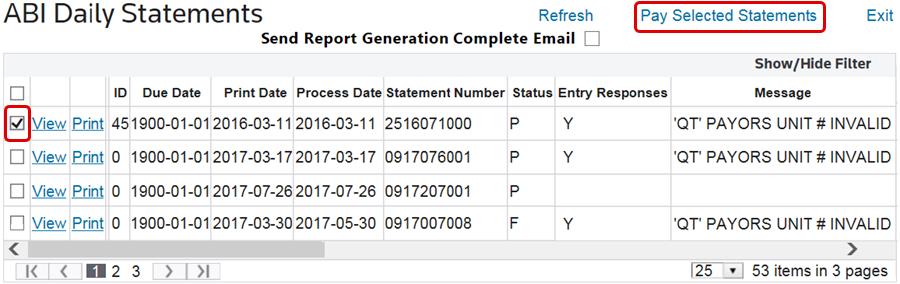
This will prompt the
Payment Confirmation
pop-up window to appear on the screen. Click OK
to confirm or Cancel
to drop changes.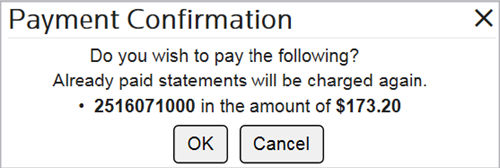
While statements are sent After a day in a batch move, users can see if CBP received or replied to their payment within five minutes by going to the
ABI Payment Confirmation
screen. For further information on this screen, please refer to the ABI Payment Confirmation
section of this User Guide.Related Content
-
Automated Broker Interface (ABI)
Format: Article