
ABI: ACE Quota Query - New Query
The
New Query
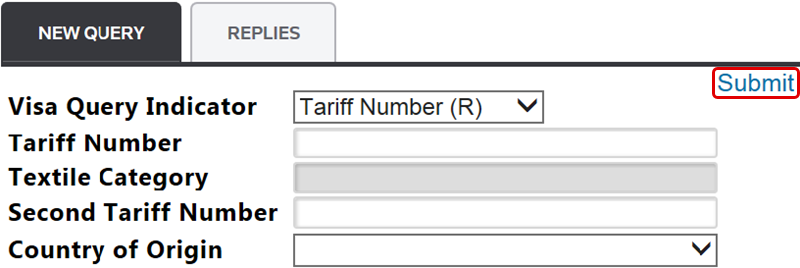
tab is used for creating a new query.New Query (Data Entry Fields) | Description |
|---|---|
Visa Query Indicator | This drop-down menu allows you to select what type of query to execute: either Tariff Number (R) orTextile Category ( . Some fields may vary, depending on which query type you selected.X ) |
Tariff Number | An open field for entering the associated tariff number for the selected query type. This field incorporates type-ahead functionality as you enters the tariff number. This field only appears if you chose Tariff Number (R) in theVisa Query Indicator field. |
Textile Category | An open field for entering an associated textile category for the selected query type. This field only appears if you chose Textile Category in theVisa Query Indicator field. |
Second Tariff Number | An open field for entering a secondary tariff number (if applicable) to be included in the selected query type. This field only appears if you chose Tariff Number (R) in theVisa Query Indicator field. |
Country of Origin | Use this drop-down menu to select a Country of Origin from a list of available countries. Countries are listed with the full country name and the two-character ISO Country Code. |
After the information for the selected query type has been completed, click
Submit
. After a query is submitted, a message will appear near the top of the screen that reads Your query has been submitted
.
Related Content
-
Automated Broker Interface (ABI)
Format: Article