
ABI: ACE Quota Query - Replies and Filtering CBP Replies
The
Replies
tab contains a grid with reply data from CBP. The Refresh
button in the upper right corner can be clicked at any time to update the Transmission Status
and Error Code
columns.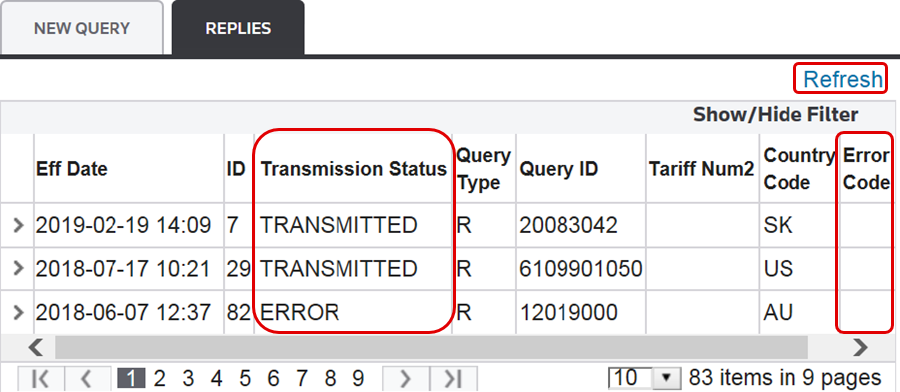
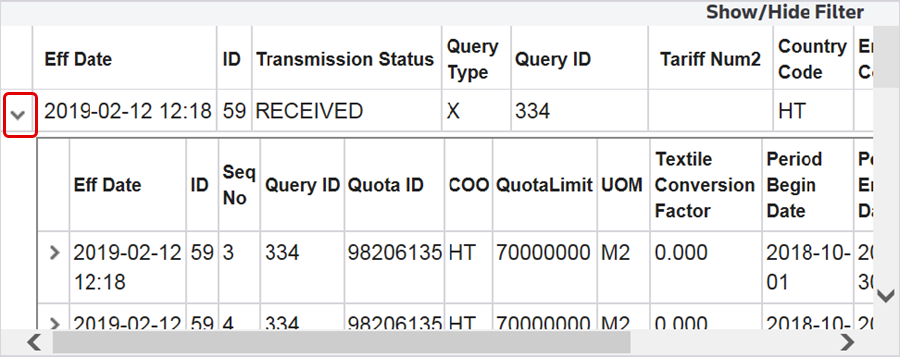
To view more details on a CBP reply, select a reply from the grid and click its corresponding arrow on the far left. Further details will appear in a table below.
Filtering CBP Replies
This grid has filtering capabilities.
To utilize the filter, click
Show/Hide Filter
. This will cause the filter row to become visible.Select a column header to sort by, enter a desired value, and click the filter button. Select a filter (for example,
NoFilter
, EqualTo
). After a filter is chosen, the grid refreshes to show only replies matching the specified search criteria. Multiple filters can be used at a time to further narrow a search.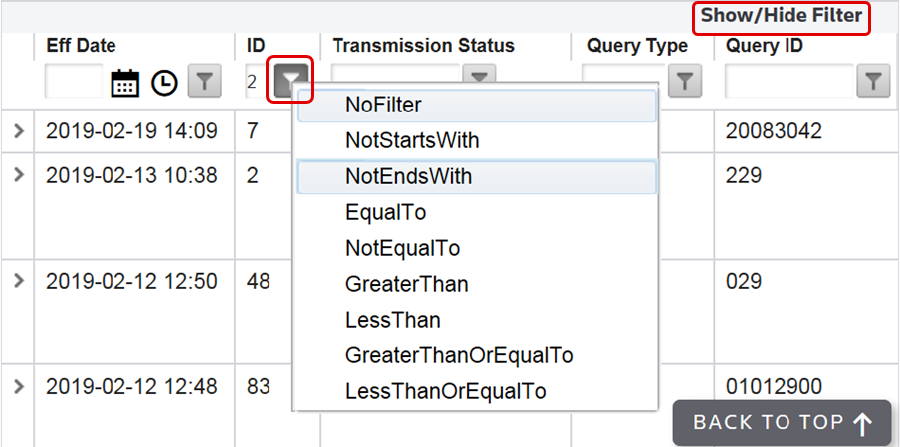
Related Content
-
Automated Broker Interface (ABI)
Format: Article