
ABI: AMS Query - Querying Automated Manifest System Data
The Automated Manifest System (AMS) is a multi-modular cargo inventory control and release notification system. AMS:
- Interfaces directly with Customs Cargo Selectivity and In-Bond Systems, as well as indirectly with ABI. This allows for faster identification and release of low-risk shipments.
- Provides participants with electronic authorization to move cargo release prior to arrival.
- Facilitates the intermodal movement and delivery of cargo by rail and trucks through the In-Bond system.
- Reduces reliance on paper documents and speeds the processing of Manifest and Waybill data.
The
AMS Query
screen is used for querying AMS or ACE information by an In-Bond number or Bill of Lading number. It also provides the ability to review the history of AMS or ACE postings against a specified Immediate Transfer (IT) or Bill of Lading (BOL). This screen can be accessed by choosing AMS Query
from the ABI
menu.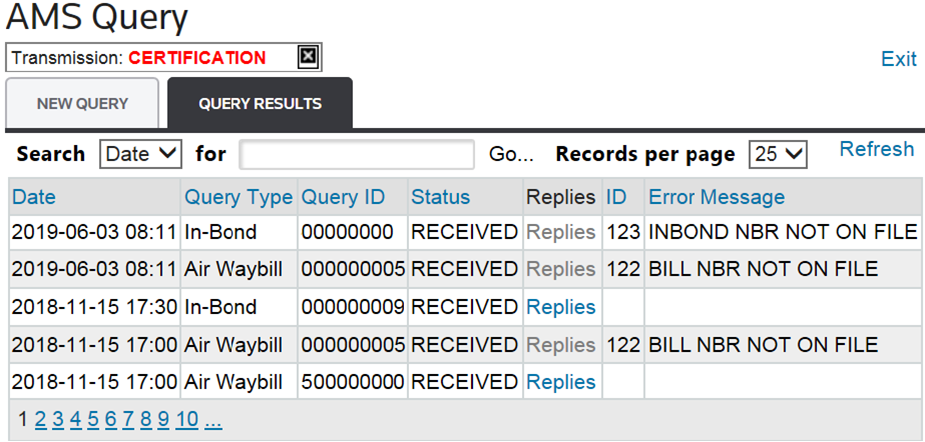
New Query
The
New Query
tab allows you to create a new query and pull the applicable data from ACE. Responses are not limited to an EIN. All information will be available for review, regardless of importer of record or consignee.
AMS Query: New Query (Data Entry Fields) |
Description |
|---|---|
CBP System to Query |
Per CBP guidance, importers should now only submit AMS queries to the ACE system. |
ACE Limit Output Options |
Use this drop-down to choose which output to receive:
|
Query Links |
|
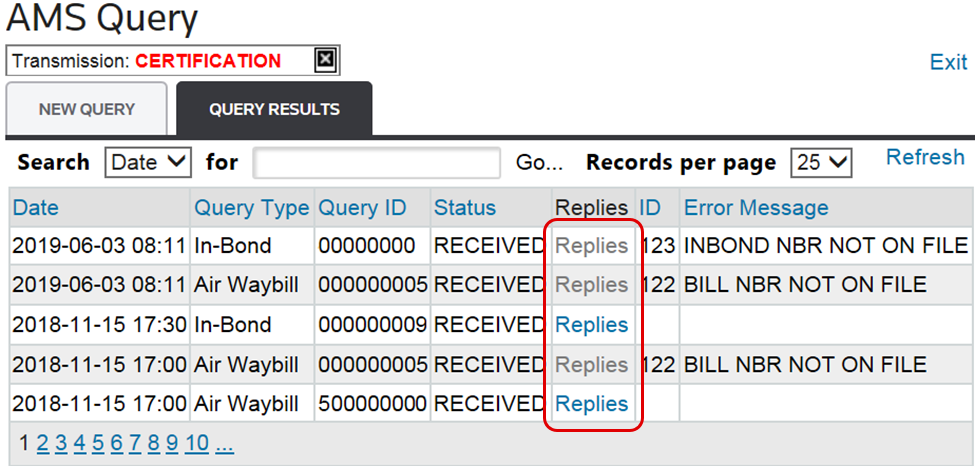
Query Results
The
Query Results
tab displays the results of the query specified in the New Query
tab. The displayed query results are from the time the query was run. To see updated results for any type, the query must be resubmitted.To view CBP messages, choose a row from the grid below and click
Replies
.
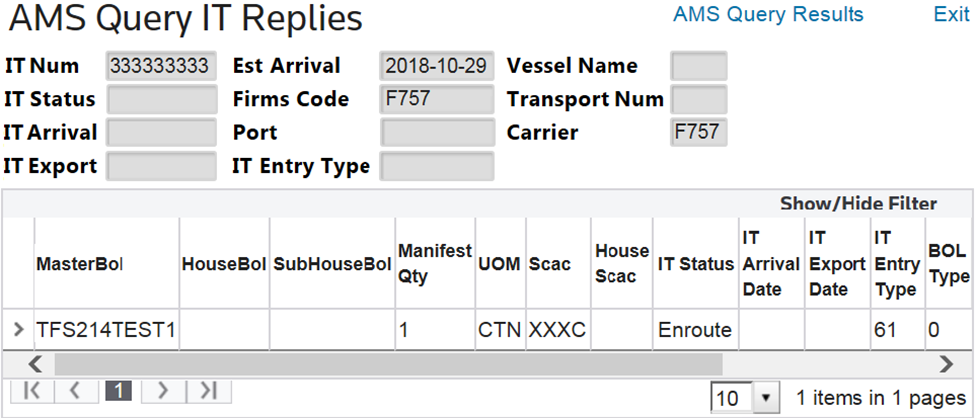
In-Bond Query Replies
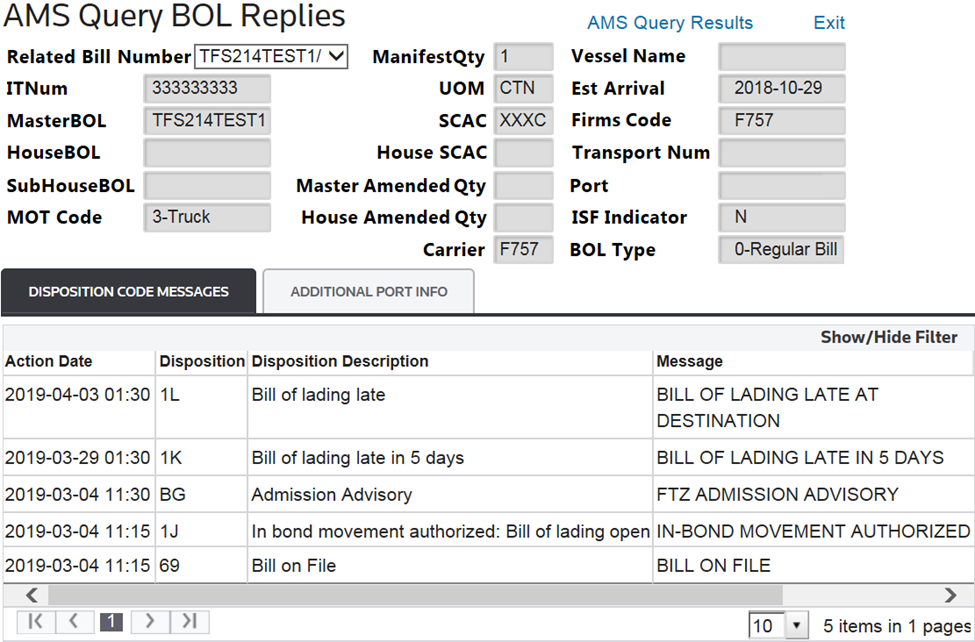
Bill of Lading Query Replies
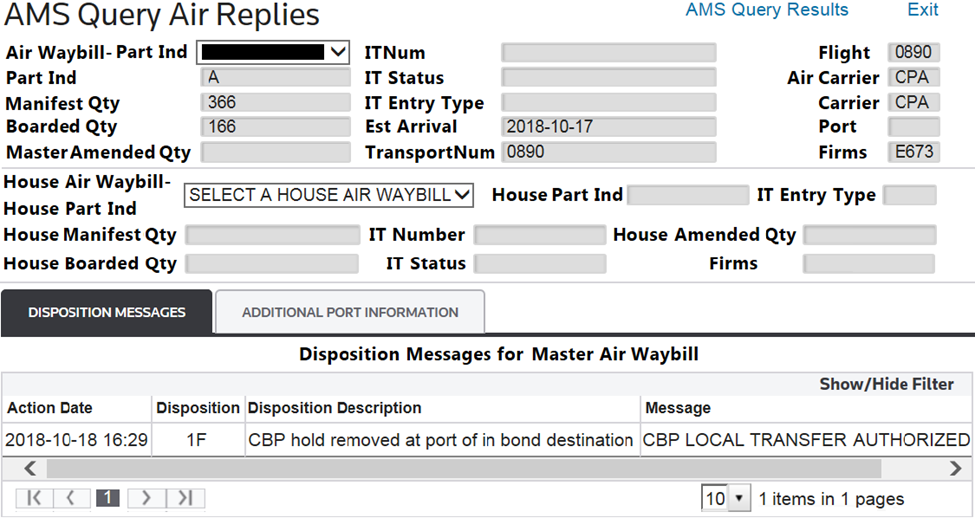
Air Waybill Query Replies
Note that a House Air Waybill must be selected in order to view results.

Related Content
-
Automated Broker Interface (ABI)
Format: Article