
ABI: Entry Summary Query - Overview and Replies
The
Entry Summary Query
tab is used to query ACE to find entry information and the entry’s current status with CBP. Although this query can be used for multiple entries at one time, this query can only be used for ACE entries. This screen can be opened by choosing “Entry Summary Query” from the ABI menu.
This tab allows you to transmit entries in different ways, as it is described below.
- Query single entry
- Query multiple entry
- Query by criteria
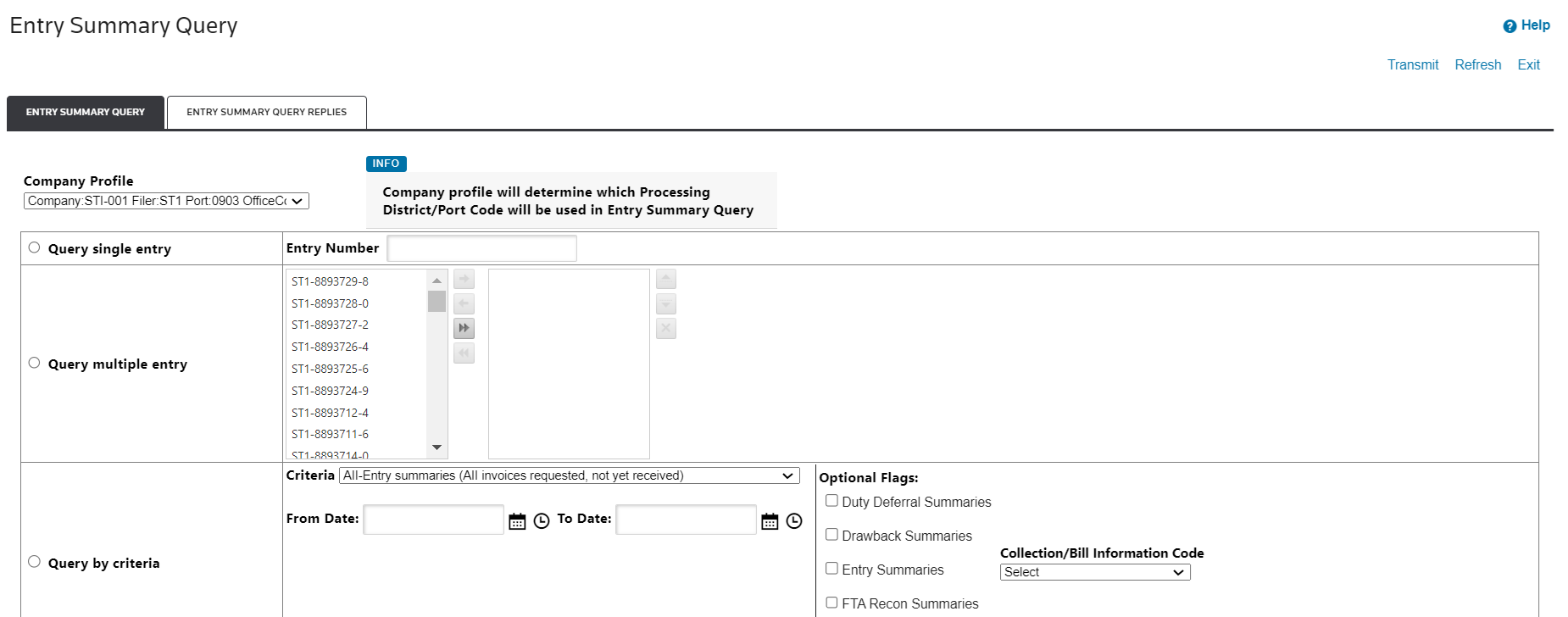
Query options |
Description |
|---|---|
Company Profile |
By clicking this dropdown, you can select a specific company profile to indicate which processing district or port code will be used when transmitting.
important
The first option on the dropdown is the default option and you can leave it as it is if you do not want to choose a different profile. |
Query Single Entry |
Enter an entry number in the Entry Number field if you want to transmit a single entry. |
Query Multiple Entries |
This box contains all ACE entries listed in the Entry Summary screen. |
Query by Criteria |
Select an option from the Criteria drop-down (see screenshot below). Specify a From Date and To Date .Optional Flags list and select aCollection/Bill Information Code option. |

Click
Transmit
when you are ready to run the query. After that, the query will be transmitted to CBP. A reply is normally received within five minutes.To view the replies, click the
Entry Summary Query Replies
tab.Entry Summary Query Replies
The
Entry Summary Query Replies
tab contains all ACE responses regarding the entries specified in the query. The Status
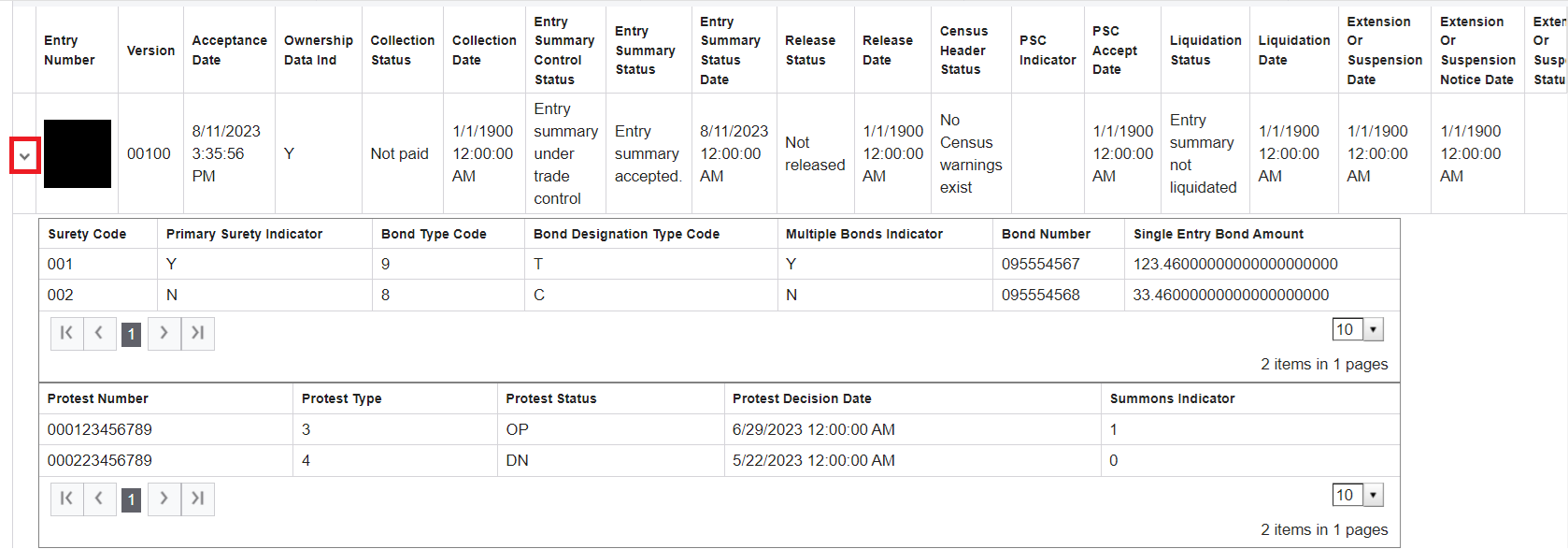
column will indicate whether the information was successfully retrieved from CBP or if there was an error.To view more detailed information, select a query from the grid and click the query’s corresponding expansion arrow on the far left.08-003
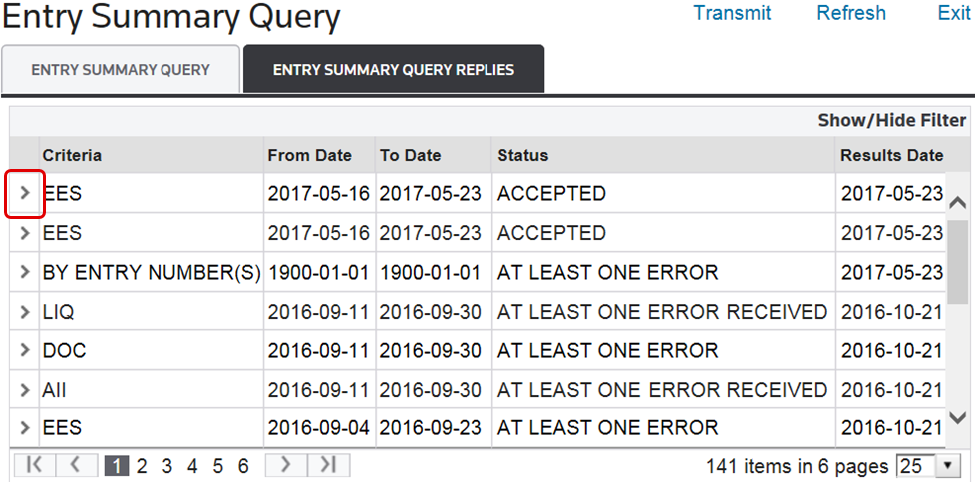
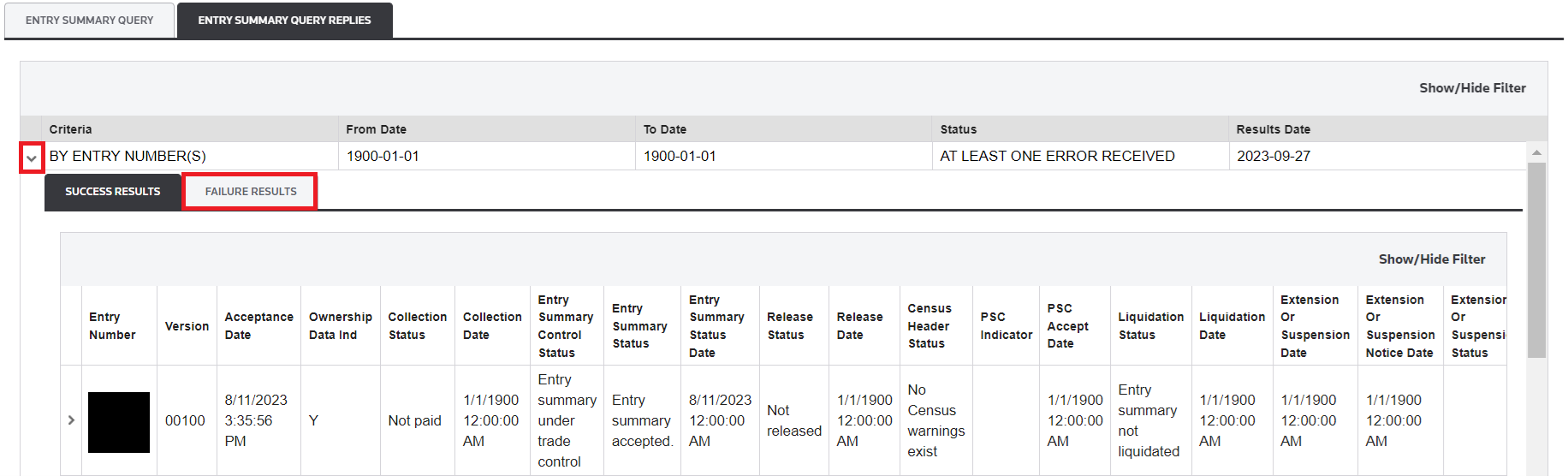
If an entry is expanded, a grid with two sub-tabs will appear beneath the row.
Success Results & Failure Results |
Description |
|---|---|
Success Results |
Displays query results data for the specified entry. This tab will open by default if the selected entry has a status of ACCEPTED . |
Failure Results |
Displays data on why the entry information cannot be returned from CBP. The details on why CBP could not return the data will appear in the Narrative Message column. This tab will open by default if the selected entry has a status ofAT LEAST ONE ERROR RECEIVED . |
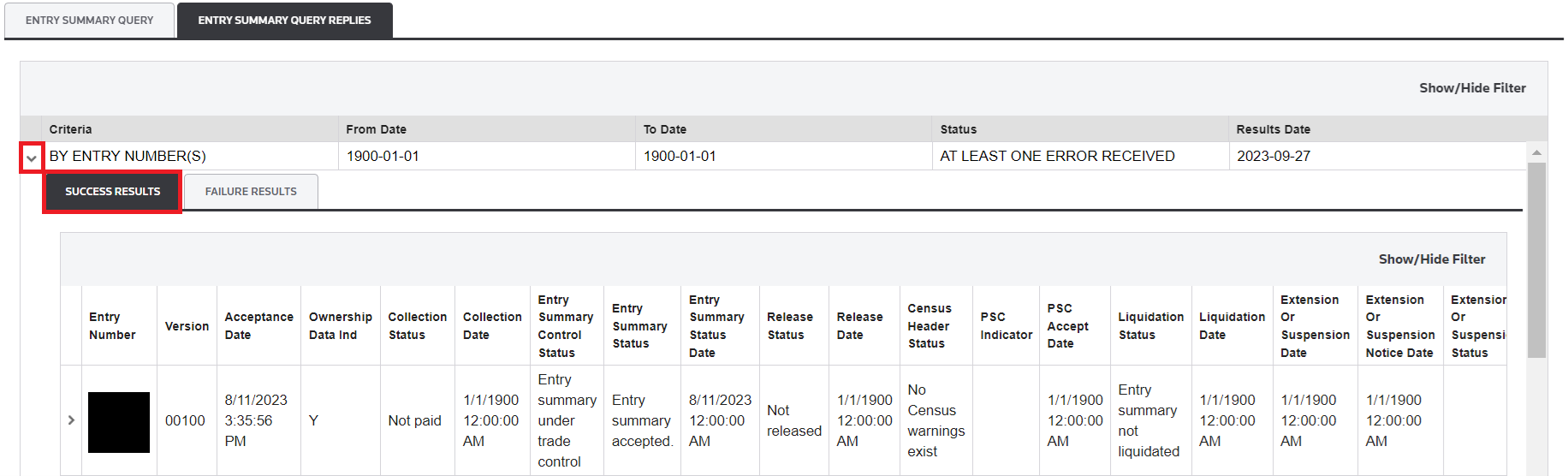
On the left of the entry lines, you can click the righward arrow to expand and see further details.
Related Content
-
Automated Broker Interface (ABI)
Format: Article