
ABI: Entry Summary (Entry 7501) - Finalizing, Generating Documents, and Transmitting
After the entry has been validated, click
Finalize
at the top of the screen. Clicking Validate
will calculate and create the tariff lines for the entry. The Entry Status will change to FINALIZING
. No changes can be made to the entry while it is in a FINALIZING
status.
The Entry Status will change to
FINALIZED
after the process is complete. OnceAfter the entry has finalized, a message will appear at the top of the screen: Entry has been finalized
. The system will show the Tariff Lines
tab, which displays the different tariff lines that have been created on the entry and other associated information.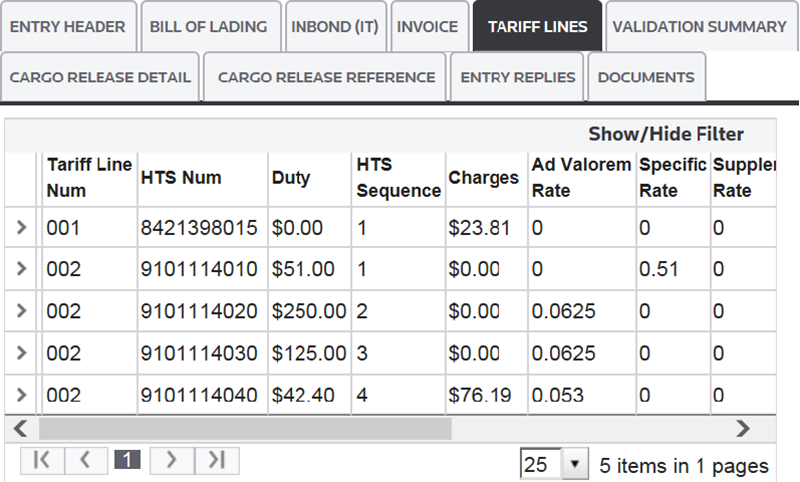
Viewing Associated Invoices and Line Items
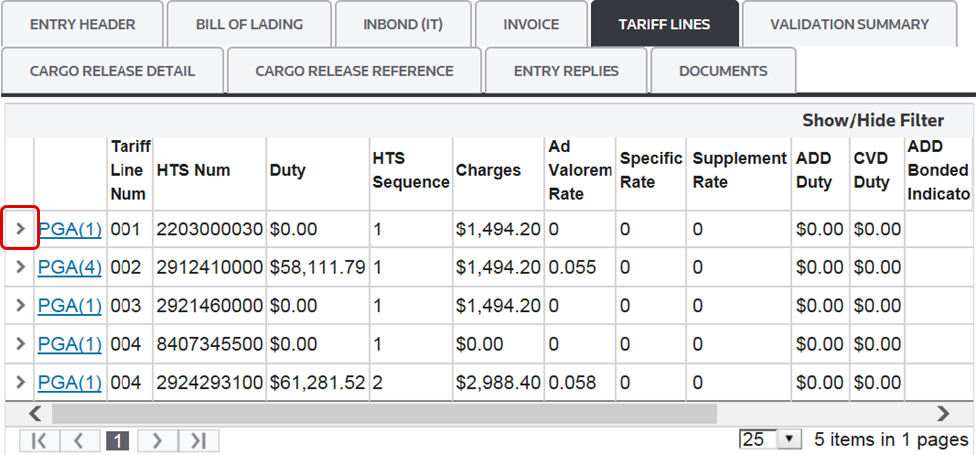
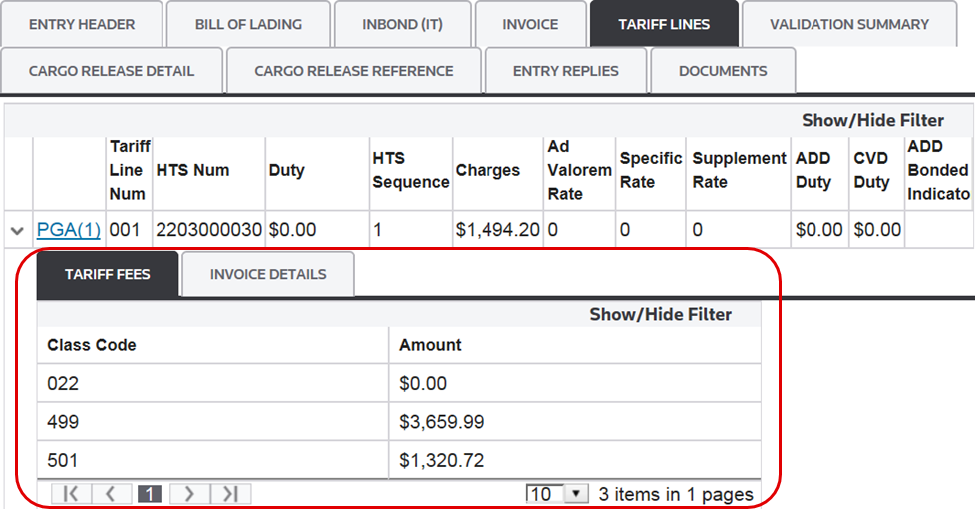
To see associated invoices and line items associated to the tariff line on the entry, click the arrow on the far left.
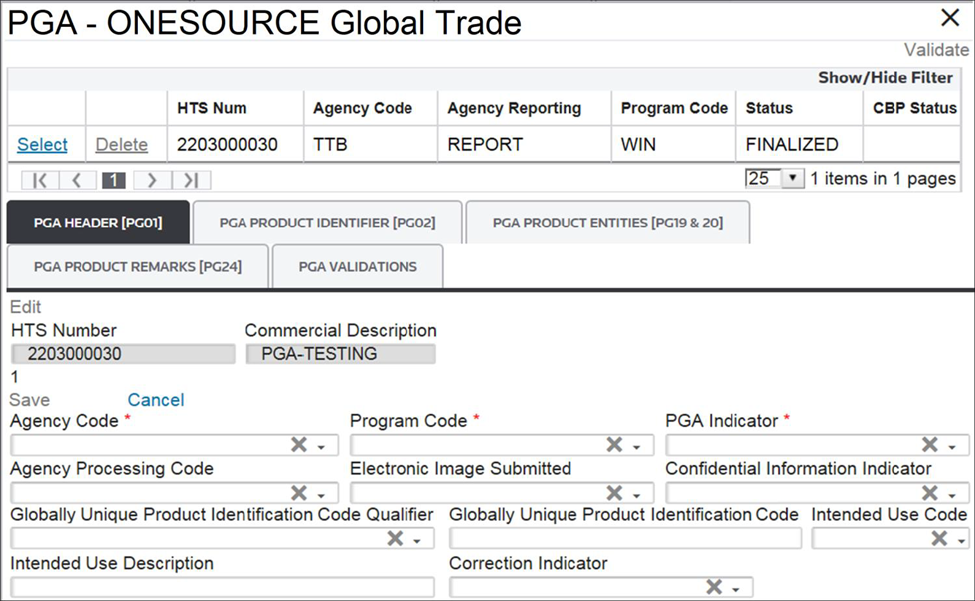
PGA Information
After the entry is finalized, a PGA link will appear beside the tariff line.
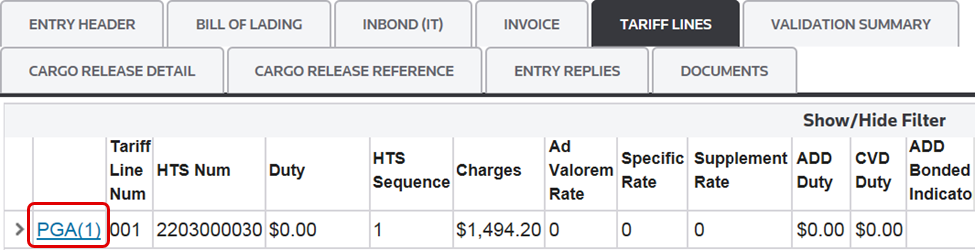
If this link is clicked, PGA data associated with the specific tariff line will appear. The number in parentheses indicates the number of PGA headers related to the tariff line.
Generate
After the entry is finalized, click
Generate
. This will create a list of required reports.
All reports are processed in tandem and will appear under the
Documents
tab. Clicking the title of a document will open it in another browser tab, where you can download the report.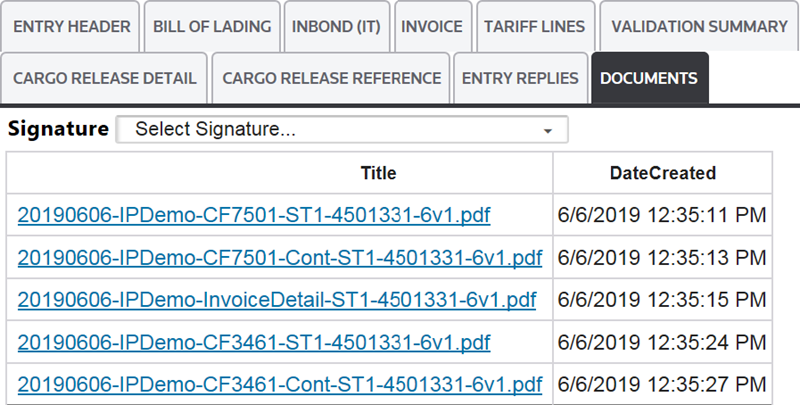
Transmit
To send the entry data to CBP, click
Transmit
at the top of the screen.Clicking
Transmit
will update the Entry Status to TRANSMITTING
. After this process is complete, the Entry Status will change to TRANSMITTED
.No changes can be made to an entry in a
TRANSMITTING
or TRANSMITTED
status.
You can click on the
Entry Replies
tab on the Entry 7501
screen or navigate to the ABI Responses screen to view the disposition messages from CBP.Both
ABI Responses
and Entry Replies
have further information within their respective sections of this User Guide.Process Entry Button
The
Process Entry
button can be utilized to kick off multiple processes from Validation to Generation of documents. It can be set up to Validate; Validate and Finalize; or Validate, Finalize and Generate documents.
Related Content
-
Automated Broker Interface (ABI)
Format: Article