
ABI: Entry Summary (Entry 7501) - Inbond (IT)
The
Inbond (IT)
tab is only used when the Port of Arrival and Port of Entry contain different values.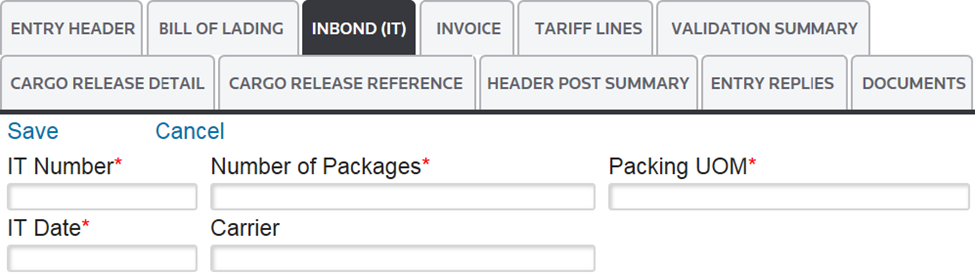
Several links are located at the top left corner of the tab. Some of these may not appear, depending on your permission levels.
Links | Description |
|---|---|
Edit | Changes the Entry Summary screen to Edit mode so additions/modifications can be made. |
Add New | Adds a new In-Bond (IT). |
Delete | Deletes the In-Bond (IT). |
Save | Saves any data added or changed since the screen was last saved in Edit mode. |
Cancel | Discards any changes to the screen since the last save. Returns screen to Read Only mode. |
To complete this section, you must fill out the information in the fields below. Required fields are marked by an asterisk (*) on the application screen:
Inbond (IT) (Data Entry Fields) | Description |
|---|---|
IT Number | When transport needs to move in-bond, this is the in-bond information:
|
Number of Packages | Total number of packages in the shipment |
Packing UOM | The Unit of Measure for the Manifest Quantity moving in bond. |
IT Date | The date the in-bond was issued. |
Carrier | The identification of the entity responsible for transporting the merchandise from the foreign Port of Lading to the first US Port of Unlading.
|
After the data in these fields has been filled out, click
Save
and proceed to the next tab.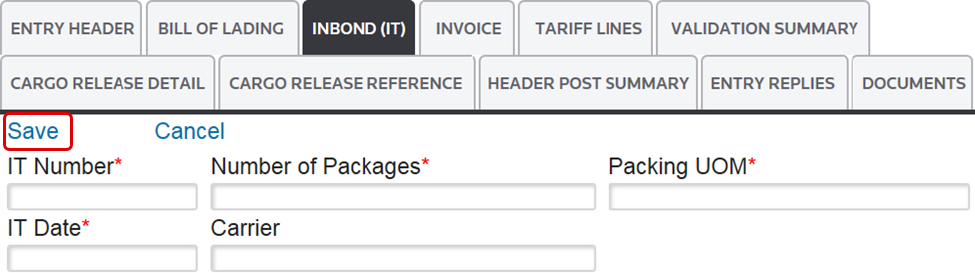
Related Content
-
Automated Broker Interface (ABI)
Format: Article