
ABI: Add/Update Manufacturer - Reviewing the Status of a Manufacturer
To review the status of a manufacturer on the
Add/Update Manufacturer Summary
screen.- Choose a manufacturer from the grid and click its corresponding expansion arrow on the far left. The details for this record will expand below.
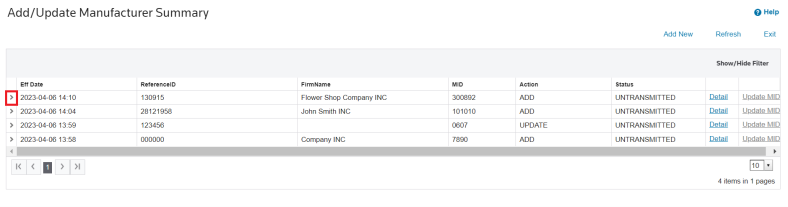
2. Review the data for accuracy or to check a status.
Example 1: Rejected by CBP (Manufacturer ID Already Exists)

Example 2: Accepted by CBP (Manufacturer Successfully Added to System)

Related Content
-
Automated Broker Interface (ABI)
Format: Article