
ABI: Entry Summary (Entry 7501)- Transmit Census Warning Override
The Census Warning Override transaction provides Automated Commercial Environment (ACE) Automated Broker Interface (ABI) users the capability to submit a Census Warning Override code if warranted upon receipt of a Census warning.

A Census warning may occur if the entry summary data (for example, gross shipping weight, quantity, or value) falls outside of pre-existing limits established by the Census Bureau.
Census warnings do not always mean an entry summary is in error, just that the data provided in the entry summary is unlikely to be true.
- If a Census warning is received, review the entry summary data and determine the next course of action to resolve the Census warning.
- If the originally transmitted data is correct, no changes to the entry summary data need to be made.
- If the originally transmitted data is incorrect, replace the discrepant data through the use of the entry summary transaction. Each tab is covered in more thorough detail in the above sections of this User Guide.
After all data is confirmed as correct, the next step is to transmit the appropriate override code to resolve the Census warning for acceptance by the Census Bureau. Users should only use the Census Warning Override transaction for entry summaries containing an unresolved Census warning.
Transmitting a Census Override
To transmit a Census Override, open the entry in the
Entry Summary
screen and click Details
. After in the Entry 7501
screen, go to the Entry Replies
tab and click the Summary Replies
sub-tab. This will show the responses from CBP.After in the
Summary Replies
tab, select a message and click the expansion arrow on the far left.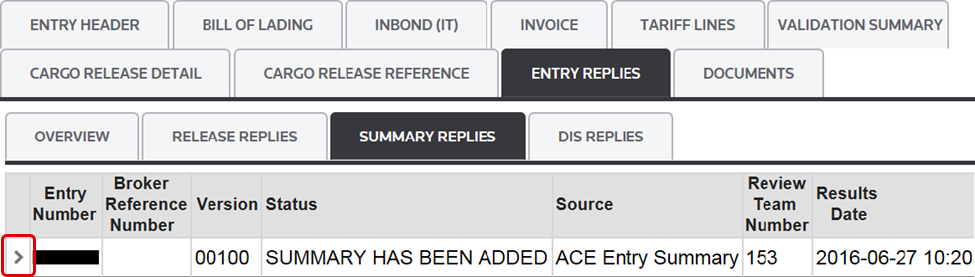
If a Census Warning exists in the
Summary Replies
sub-tab, it will appear in the Messages
column and an override code will be available. Select the appropriate Override Code from the drop-down menu on the far right.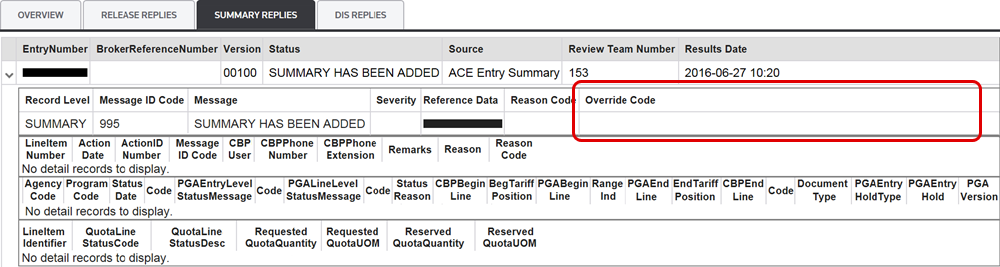
At the top of the screen, click
Transmit Census Warning Override
. After transmission, a new file will appear in the Reports
grid as a “CW” file type.
Transmission results can be viewed in the
Release Replies
sub-tab.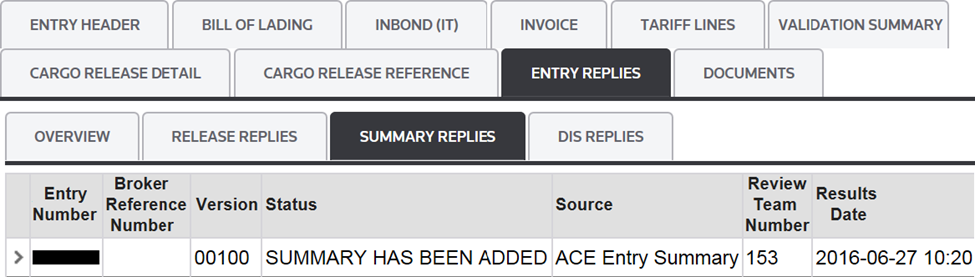
Related Content
-
Automated Broker Interface (ABI)
Format: Article