
Classification Lookup
The
Classification Lookup
screen holds the product data for all products processing through the system. This Lookup can be found under the Classification
menu item. This lookup is covered in more detail in the ONESOURCE Global Classification Help.Filtering the Lookup Grid
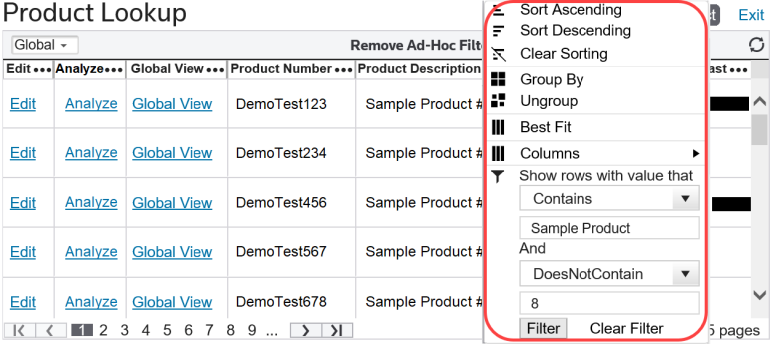
To perform a search, choose a column to search by and click the icon to the right of the column name.

Clicking the advanced filter icon will open a list of filtering options. Each of these options is explained in more detail in the ONESOURCE Global Classification Help.
Editing a Product
To edit a product, click the
Edit
link to the left of the product record.
Related Content
-
Maintenance
Format: Article