
HTS Codes
The
HTS Codes
screen is a form the user can use to update HTSUS information. It can be opened by choosing HTS Codes
from the Maintenance
menu.This screen displays all the HTSUS codes utilized by the subzone, and allows the user to add new HTSUS codes, delete HTSUS codes no longer in use or update information about the HTSUS code.
Information that is provided for update includes Special Program Indicators (SPI) associated with the HTSUS, the unit of measure to be used when reporting the HTSUS and the duty rates (both Ad Valorem and Specific) associated to the HTSUS.
important
Depending on how the system was configured during implementation, the
Update
column may or may not appear in the user’s system.
Adding a New HTS (US Subscription to Global Trade Content)
To add an HTS, click
Add Record
.
A pop-up will appear on the screen. Enter the desired HS Number, and then click
Load SPI Codes
. Global Trade Content will then apply a SPI Code to the HS Number. Click Submit
to proceed.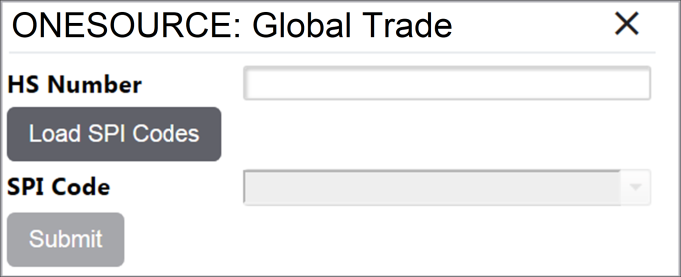
Complete the entry, and then click
Insert
..
Adding a New HTS (No US Subscription to Global Trade Content)
To add an HTS, click
Add Record
.
Complete the entry, and then click
Insert
.
Updating an HTS Number with Global Trade Content
The
Update
column may be configured to appear on the HTS Codes
screen if the user’s company has the US content subscription with ONESOURCE Global Trade Content.Clicking the
Update
button will automatically update the HTS information with up-to-date information from Global Trade Content.
After Content completes its validation, any potential validation errors will appear at the top of the screen. This will notify the user if any modifications need to be made to the record. The modification process is described in the Modifying an Existing HTS section of this Help.

Modifying an Existing HTS
To modify an existing HTS, click
Edit
.
Make all necessary changes, then click
Update
.
Deleting an Existing HTS
To delete an existing HTS, click
Delete
.
Related Content
-
Maintenance
Format: Article