
Product History
The
Product History
screen shows the entire history of the specified product. This screen can be opened by choosing Product History
from the Reports
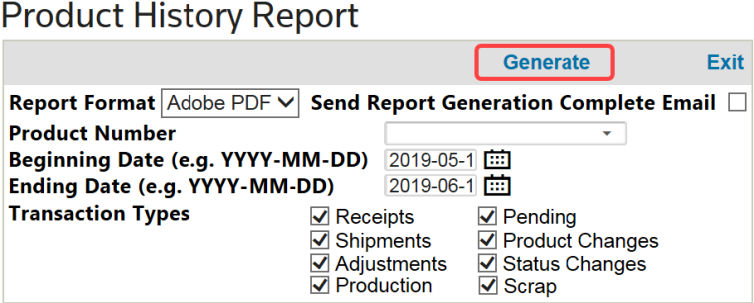
menu.To create the report, select a report format: Adobe PDF, Word Document, or Excel Spreadsheet. Next, enter a Product Number and specify the date parameters for the report. Check the boxes for the relevant Transaction Types, then click
Generate
.
Related Content
-
Tools
Format: Article