
Validation Status and Report
*This section is provided for long-term support and visibility purposes only. No user action is required.*
The
Validation Status
screen is used for scanning transactions to determine whether or not any corrections need to be made. Later, the screen can be used to confirm these corrections were made. The Validation Screen
can be utilized after the Staging Data Transfer
step.This screen can be accessed by choosing
Validation Status
from the Drawback
menu. However this process is handled entirely by the system automation built into the Drawback module.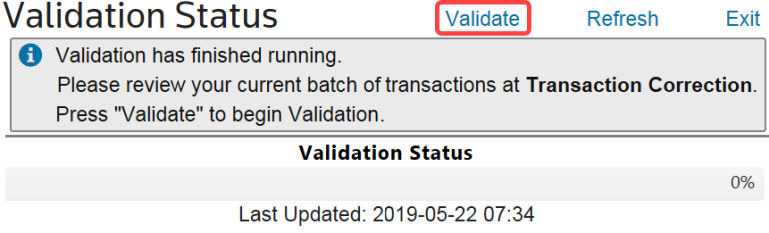
If the workflow is currently running, the
Validate
button will be temporarily disabled until the validation is complete. During validation, the following message will display:
After the validation has been completed, the following message will display:

The
Validation Status
table automatically updates every four seconds, but the user can click Refresh
to update immediately.Related Content
-
Drawback Processing
Format: Article