
Category Attribution Order
The
Category Attribution Order
screen is used for specifying the sequence order for a particular product category for a specific attribution step. This enables the highest volume products to be attributed initially. This screen can be opened by choosing Category Attribution Order
from the Maintenance
menu.This screen provides searching capabilities, paging (choosing to display a particular page of results when there are more results than can be shown on one page), and a record count option which allows you to specify how many records are displayed on one page.

Adding a New Category Attribution Sequence
To add a new category attribution sequence, click
Add Record
.
A new line with read-write fields will appear at the top of the grid. Enter the necessary information and click
Insert
.
Modifying an Existing Category Attribution Sequence
To edit a category attribution sequence, choose a line in the grid below and click
Edit
on the far left.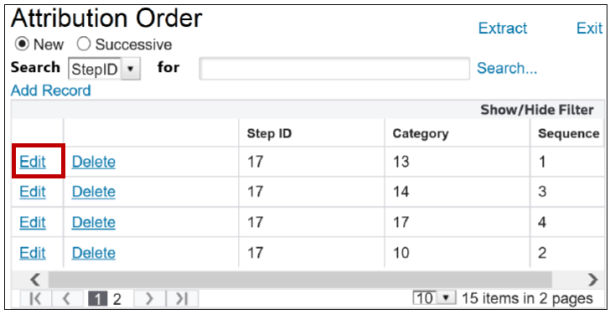
The fields will become read-write. Make any necessary changes and click
Update
.
Deleting an Existing Category Attribution Sequence
To delete a category attribution sequence, choose a line in the grid below and click
Delete
.
Related Content
-
Maintenance
Format: Article