
Class/Status Warnings
The
Class/Status Warnings
screen is used to place status warnings on a specific product classes and identifying when correlating shipments are attributed against receipts with a status of Non-Privileged Foreign
or Privileged Foreign
.This screen can be opened by choosing
Class/Status Warnings
from the Maintenance
menu.This screen includes searching capabilities, paging (choosing to display a particular page of results when there are more results than can be shown on one page), and a record count option which allows you to specify how many records how displayed on one page.

Creating a New Step Class/Step Warning
To add a new step class/step warning, click
Add Record
.
A new line with read-write fields will appear at the top of the grid. Enter the necessary information and click
Insert
.
Modifying an Existing Step Class/Step Warning
To edit a step class/step warning, choose a line in the grid below and click
Edit
on the far left. The fields will become read-write.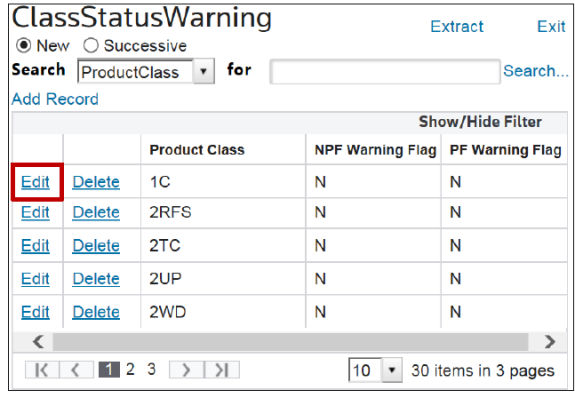
Make any necessary changes and click
Update
.
Deleting an Existing Step Class/Step Warning
To delete a step class/step warning, choose a line in the grid below and click
Delete
.
Related Content
-
Maintenance
Format: Article