
Group List
You require certain user rights and permissions to perform tasks within ONESOURCE FTZ Petro. Group accounts help you efficiently assign those user rights and permissions to users.
The
Group List
screen can be opened by choosing Group List
from the Maintenance
menu.ONESOURCE FTZ Management comes with many built-in groups based on the tasks users commonly perform, such as the Zone Operator, Report, or Read Only Groups. Assigning you to one or more of the built-in groups will provide you with all the rights and permissions they need to perform their jobs.
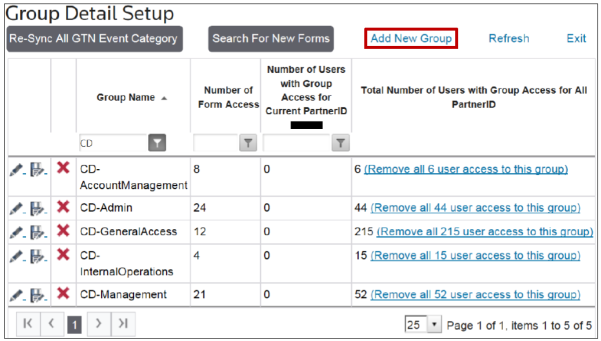
Creating a New Group
To create a new group, click
Add New Group
.
Clicking
Add New Group
will open the Add New Group
pop-up. Enter a group description, and then click Add
.
Clicking
Add
will open the Edit Group
pop-up. Make any necessary changes and save.
Modifying an Existing Group
To edit an existing group, click
Edit
(the pencil icon).
Clicking the edit icon will open the
Edit Group
pop-up. Make any necessary changes, and then click Save
.
Removing an Existing Group
To delete an existing group, click the red
X
.
Clicking
X
will open the Delete Current Group
pop-up. Click OK
to proceed with the deletion or Cancel
to cancel the deletion.
Related Content
-
Maintenance
Format: Article