
HTS Codes
The
HTS Codes
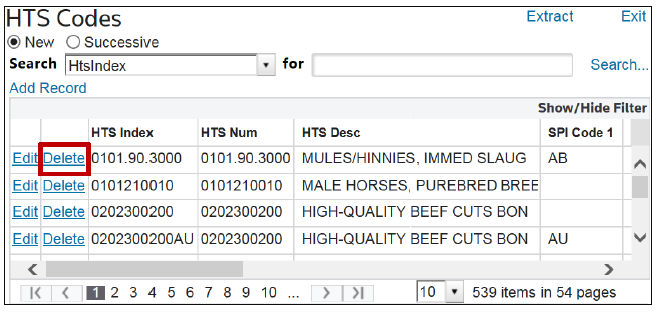
screen is a form you can use to update HTSUS information. It can be opened by choosing HTS Codes
from the Maintenance
menu. This screen displays all the HTSUS codes utilized by the subzone, and allows you to:- Add new HTSUS codes
- Delete obsolete HTSUS codes
- Update information about the HTSUS code
Information that is provided for update includes Special Program Indicators (SPI) associated with the HTSUS, the unit of measure to be used when reporting the HTSUS, and the duty rates (both Ad Valorem and Specific) associated to the HTSUS.

Adding a New HTSUS or HTSUS/SPI Code Combination
In order to add a new HTSUS or HTSUS/SPI Code combination, click
Add Record
.
Add the HTS Index on the line, as well as any information that makes this new item unique from an existing item. Click
Insert
.
Modifying an Existing HTSUS or HTSUS/SPI Code Combination
To modify an existing HTSUS or HTSUS/SPI Code combination, choose a record in the grid below and click
Edit
.
Change the HTS Index on the line and update any information that makes this new item unique from an existing item. Click
Update
.
A new item with the new HTS Index will be added to the HTS Codes table. The item modified will not be deleted. Records are only deleted when the
Delete
button is clicked.Deleting an Existing HTSUS or HTSUS/SPI Code Combination
To delete an existing HTSUS or HTSUS/SPI Code combination, choose a record in the grid below and click
Delete
.
Related Content
-
Maintenance
Format: Article