
Subzone Defaults
The
Subzone Defaults
screen is used for updating information specific to a given subzone. This screen can be opened by choosing Subzone Defaults
from the Maintenance
menu. This screen includes such information as the Zone Address, Associated Port, MPF Amounts, Bond and Consignee information, and Filer Code. This information is used to populate various Customs forms and should be kept current.
Entry Numbers
Entry Numbers
are created sequentially. If you are notified that a new sequence of entry numbers should be used, ask to be notified of the change in advance, since the creation of the 3461 locks in the entry number that you will use. Determine the last 3461 that will be entered using the old sequence number.After the last 3461 in the sequence has been recorded and saved in the application, open the
Subzone Defaults
screen.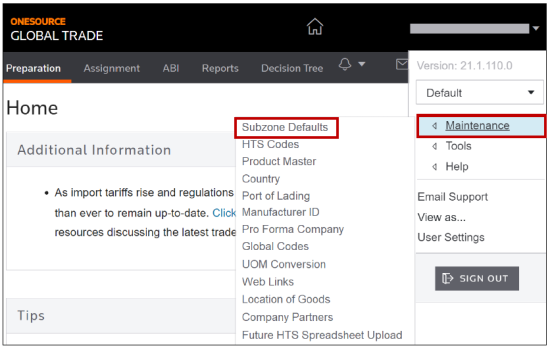
Click
Edit
beside the line item and scroll over to the LastEntryNum
field.
Change the
LastEntryNum
field to be the number preceding the next entry number you will use (i.e., enter 111
if the next entry number will be 112
).
Scroll back to the left and click
Update
.
The next 3461 that you use will have the starting number of the new sequence, and check digits will be calculated automatically.
Related Content
-
Maintenance
Format: Article