
Applying PGA Templates
PGA Templates may be applied to multiple products at once by selecting a PGA Template from the
Template
drop-down box.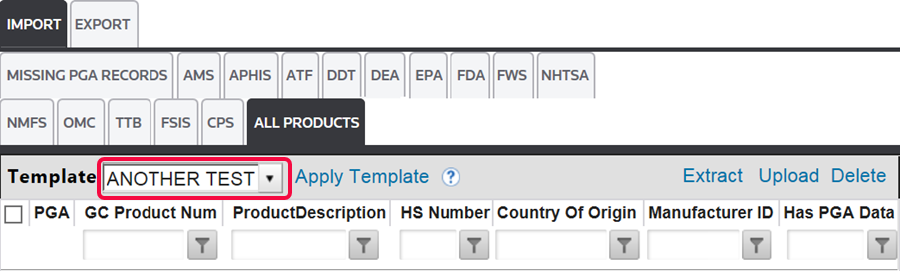
Upon selection of a specific template, the grid will refresh, narrowing the options to only the products that are eligible for that template based on the HS Number of the product.
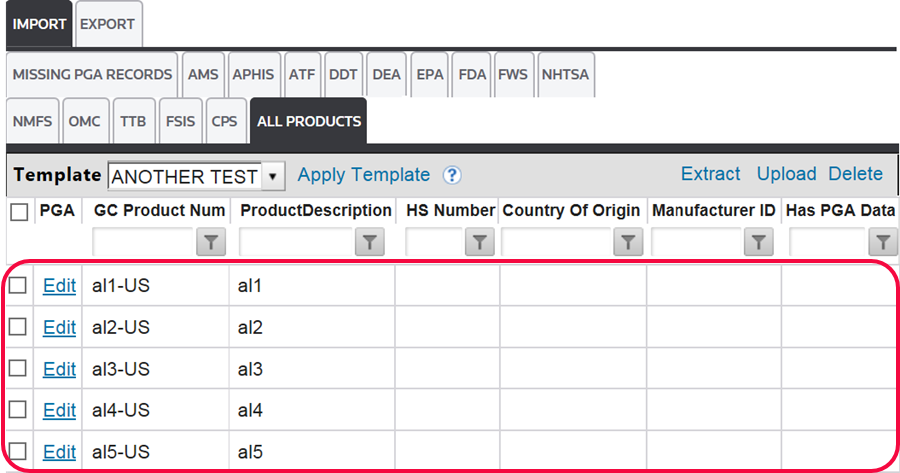
Select the products that the template should be applied to by checking the box and then click
Apply Template
. 
After
Apply Template
is clicked, a confirmation box will appear, asking you to confirm that this template should be applied to this many products. - To confirm, clickOK.
- To drop all changes, click “X” orCancel.

If
OK
is clicked, the data in the PGA Template will be applied to those products, and their records will be visible on the PGA-specific tabs for further review/editing as needed. The following validation message will appear on the screen: 
For more information on PGA Templates, see the Global Classification help documentation.
Related Content
-
All Products
Format: Article
-
PGA Mapping (Global Classification)
Format:
Article