
Containers [PG27]
After completing and saving the
Packaging [PG26]
tab, proceed to the Containers [PG27]
tab. The Containers
tab correlates with the PG27 Record (container details) of the PGA Message Set. 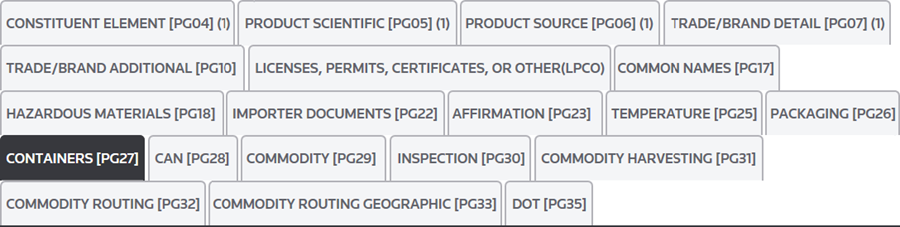
The
Containers [PG27]
tab has two Container options:Container Options | Description |
|---|---|
Insert Container | If the PGA screen is being utilized by the ABI-01 module, any containers that have already been added under the Bill Of Lading tab in that module will be available in the Number drop-down and can be added to the PGA using the “Insert Container” button. |
Add New Container | If the PGA screen is not being utilized by ABI-06, new container information can be added by clicking “Add New Container”. |
Clicking
Add New Container
will show the a set of Container
fields. Populate container information into these fields.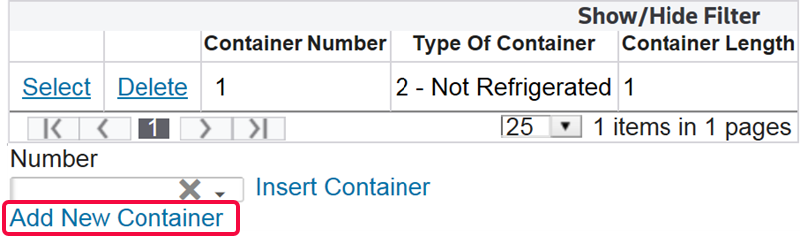

If PG26 data is required, enter the appropriate information in the fields listed below:
Fields | Description |
|---|---|
Number | The shipping container number or equipment identification number. |
Type | The condition of the container:
|
Length | Total container length, in feet. |
After all required data has been entered, click
Save
and proceed to the Can [PG28]
tab.important
If you do not click
Save
before you move to the next tab, you will lose all of the data under the tab and will then need to re-enter it.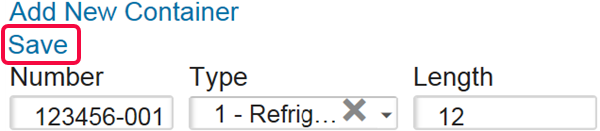
Related Content
-
PGA Data Screen (PGA Mapping)
Format: Article