
Extract & Upload
To update product records as a group:
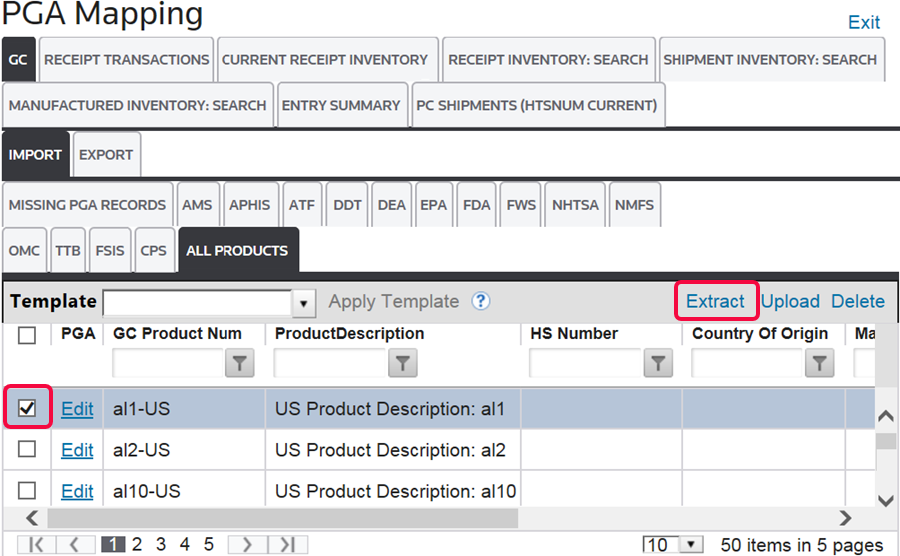
- Open theAll Productstab.
- Select which records are to be extracted.
- ClickExtracton the top right corner of the grid to open theExtractpop-up.
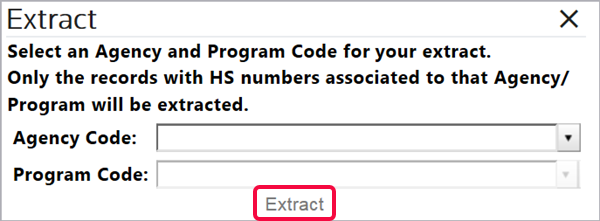
- Choose an Agency Code and Program Code to be extracted.
- ClickExtract.
The extracted data will generate in the form of a Microsoft Excel spreadsheet.
- Open the spreadsheet.
- Enter the missing/updated PGA information.
- Save changes.
The columns in the Excel file are formatted based on the Agency requirements that were selected for that Agency/Program Code. As a result, do not change the columns in the Excel file before re-uploading the data.
After the spreadsheet is completed, click
Upload
beside the Extract
button. This will upload the final spreadsheet to the PGA Mapping
screen. 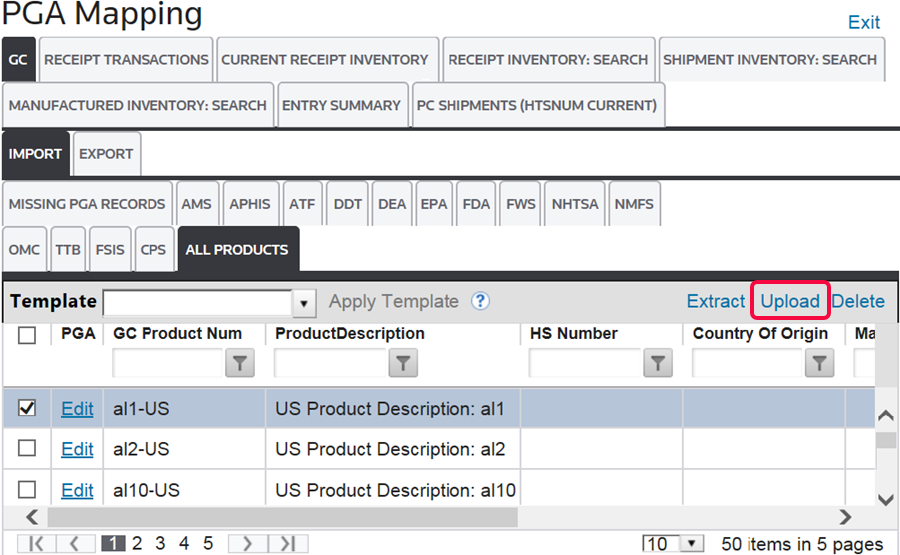
Related Content
-
All Products
Format: Article
-
PGA Mapping (Global Classification)
Format:
Article