
Licenses, Permits, Certificates, or Other [PG13/PG14]
After completing and saving the
Trade/Brand Additional [PG10]
tab, proceed to the Licenses, Permits, Certificates, or Other (LPCO)
tab. 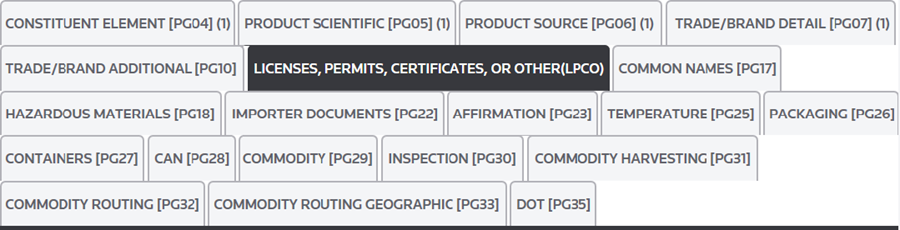
The
Licenses, Permits, Certificates, or Other (LPCO)
tab is comprised of two sub-tabs. These sub-tabs are described in more detail in the sub-sections below. 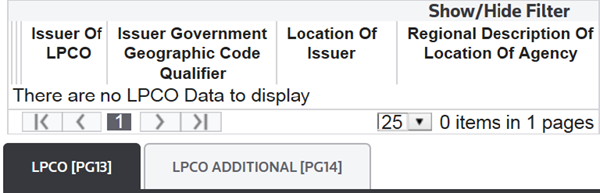
Under the Licenses, Permits, Certificates, or Other (LPCO) tab, the user will begin on the LPCO tab. The LPCO tab correlates with the PG13 Record of the PGA Message Set. The following links are located at the top left corner of this section:
Links | Description |
|---|---|
Save | Save any data that was added or changed since the most recent save in Edit Mode. |
Cancel | Discard all changes made after the most recent save. The tab will revert to Read Only Mode. |
Edit | Activate Edit Mode so any necessary additions/modifications can be made to the open record. This action will only be made available once one or more records exist on the tab. |
Add New | Add a new record. This action will only be made available once one or more records exist on the tab. |
Delete | Delete the selected record. This action will only be made available once one or more records exist on the tab. |
If PG13 data is required, enter the appropriate information in the fields listed below:
Fields | Description |
|---|---|
Issuer Of LPCO | The entity that issued the LPCO. |
Issuer Government Geographic Code Qualifier | The code relating to the location of the LPCO issuer. Select one:
|
Location of Issuer | A code that identifies the location of the LPCO issuer (e.g. the Foreign Country Code or U.S., Mexico, or Canadian Province/State Code). Enter the appropriate code from Appendix B in the ACS ABI CATAIR. |
Regional Description Of Location Of Agency | A freeform regional description of the location of the agency issuing the LPCO. This location must be within a country. |
Click
Save
to save changes. You will be unable to proceed until Save
is clicked. 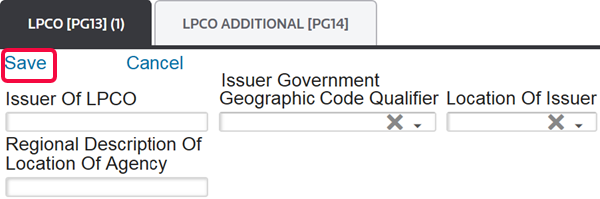
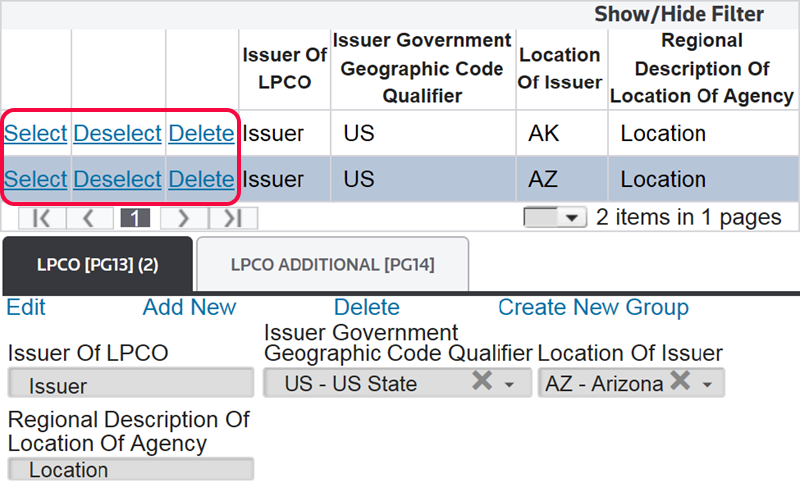
After you click
Save
on the LPCO tab, the LPCO data will appear in a grid. The following links are located at the top left corner of this section:Links | Description |
|---|---|
Select | Selects the LPCO record. Once an LPCO record is selected, all data subsequently entered on the “LPCO Additional” tab will tie to the selected record. |
Deselect | Unselects the LPCO record. Once an LPCO record is deselected, the data subsequently entered on the “LPCO Additional” tab will not tie to the record. |
Delete | Deletes the selected record. |
After populating the
LPCO
tab, you will move to the LPCO Additional
tab. The LPCO Additional
tab correlates with the PG14 Record of the PGA Message Set, which contains data pertaining to Licenses, Permits, Certificates, or Other (LCPO) issued by PGAs and other government entities. This data is conditional, but is mandatory if PG13 data was sent.The following links are located at the top left corner of this section:
Links | Description |
|---|---|
Save | Save any data that was added or changed since the most recent save in Edit Mode. |
Cancel | Discard all changes made after the most recent save. The tab will revert to Read Only Mode. |
Edit | Activate Edit Mode so any necessary additions/modifications can be made to the open record. This action will only be made available once one or more records exist on the tab. |
Add New | Add a new record. This action will only be made available once one or more records exist on the tab. |
Delete | Delete the selected record. This action will only be made available once one or more records exist on the tab. |
If PG14 data is required, enter the appropriate information in the fields listed below:
Fields | Description |
|---|---|
Transaction Type | Identifies the transaction type.
|
Type | Identifies the type of license, permit, certificate or other. For a list of valid codes, see Appendix PGA (LPCO Type Code). |
LPCO Number | Identifies the number assigned to the LPCO. This is also used to record prior notification numbers issued by FDA as well as the E-DECS numbers issued by FWS. The name of the LPCO issued by a foreign entity can also be reported. |
Date Qualifier | Valid dates are:
|
Date | Identifies the date of the LPCO. |
Quantity | Identifies the quantity from the LPCO. |
UOM | Valid Unit of Measure codes are listed in Appendix C in the ACS ABI CATAIR. |
Exemption Code | Indicates the reason for exemption from LPCO. For a list of valid codes, see Appendix PGA. |
After all required data has been entered, click
Save
and proceed to the Common Names
tab.important
If you do not click
Save
before you move to the next tab, you will lose all of the data under the tab and will then need to re-enter it.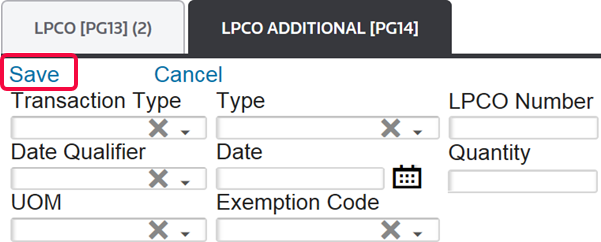

Related Content
-
PGA Data Screen (PGA Mapping)
Format: Article