
PGA Validations
PGA data can be validated against the field requirements listed in PGA CATAIR to determine whether any data elements are missing or invalid. It is the responsibility of the importer to validate their data and confirm all required fields have been populated for each agency and program code. However, ONESOURCE PGA should be considered a tool the importer can use to assist in auditing this process.
To begin the validation process:
- ClickValidateon the top right corner of the screen.
- Wait for the system to complete the validation process.
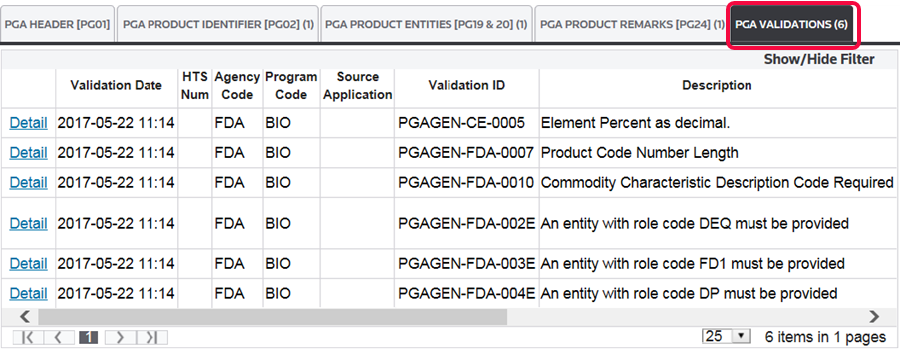
After the validation process is complete, all validation errors will appear in the grid within the
PGA Validation
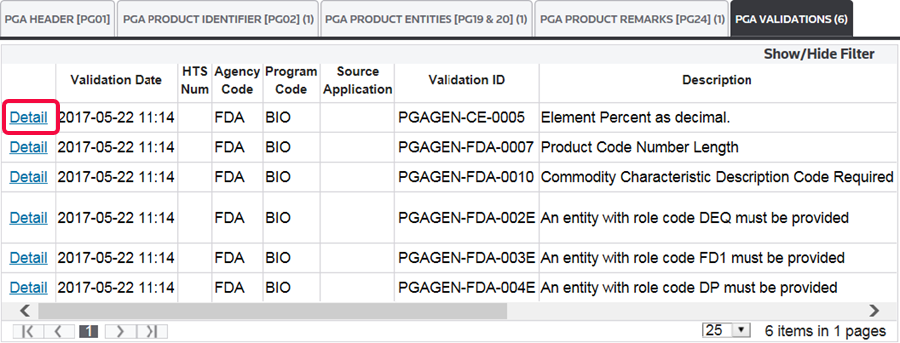
tab.To view the details of a validation error:
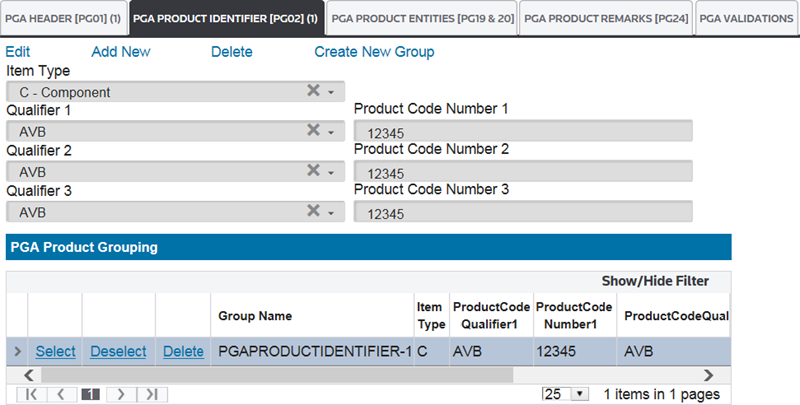
- ClickDetail. This will redirect you to the specific data element that caused the error.
Related Content
-
PGA Data Screen (PGA Mapping)
Format: Article