
Temperature [PG25]
After completing and saving the
Affirmation [PG23]
tab, proceed to the Temperature [PG25]
tab. The Temperature
tab correlates with the PG25 Record of the PGA Message Set. This is a conditional PGA input record that provides data pertaining to the temperature of temperature-sensitive cargo. 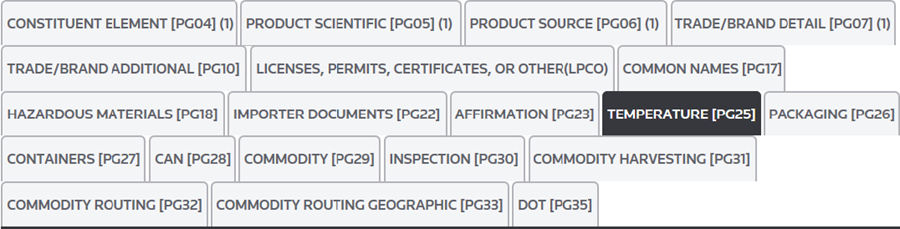
The following links are located at the top left corner of this section:
Links | Description |
|---|---|
Save | Save any data that was added or changed since the most recent save in Edit Mode. |
Cancel | Discard all changes made after the most recent save. The tab will revert to Read Only Mode. |
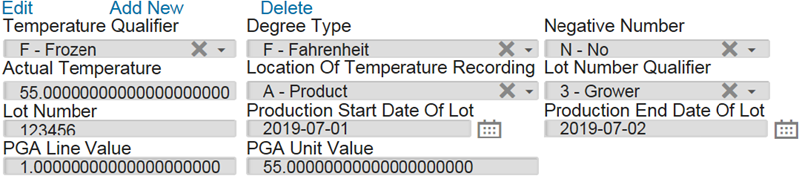
Edit | Activate Edit Mode so any necessary additions/modifications can be made to the open record. This action will only be made available once one or more records exist on the tab. |
Add New | Add a new record. This action will only be made available once one or more records exist on the tab. |
Delete | Delete the selected record. This action will only be made available once one or more records exist on the tab. |
If PG25 data is required, enter the appropriate information in the fields listed below:
Fields | Description |
|---|---|
Temperature Qualifier | The reported Temperature Category.
|
Degree Type | The Degree Unit of Measure
|
Negative Number | Yes or No indicating that the actual temperature is a negative number |
Actual Temperature | Reported temperature. |
Location Of Temperature Recording | Identifies the recorded temperature is for
|
Lot Number Qualifier | The code of the entity assigned to the Lot number.
|
Lot Number | The lot number that the manufacturer/producer/grower assigned to the product. |
Production Start Date Of Lot | The date when the production for the Lot started. |
Production End Date Of Lot | The date when the production for the Lot ended. |
PGA Line Value | The value associated with the PGA line number in whole dollars. |
PGA Unit Value | The value of the lowest unit of measure reported in PG26. |
After all required data has been entered, click
Save
and proceed to the Packaging
tab.important
If you do not click
Save
before you move to the next tab, you will lose all of the data under the tab and will then need to re-enter it.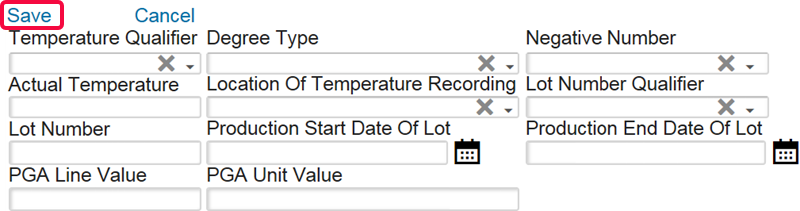
Related Content
-
PGA Data Screen (PGA Mapping)
Format: Article