
Trade/Brand Additional [PG10]
After completing and saving the
Item Identity [PG07]
tab, proceed to the Trade/Brand Additional [PG10]
tab.The
Item Identity [PG10]
tab correlates with the PG10 Record of the PGA Message Set. PG10 data allows for reporting codes that provide additional characteristics of a product/component not reported elsewhere in the PGA Message Set. 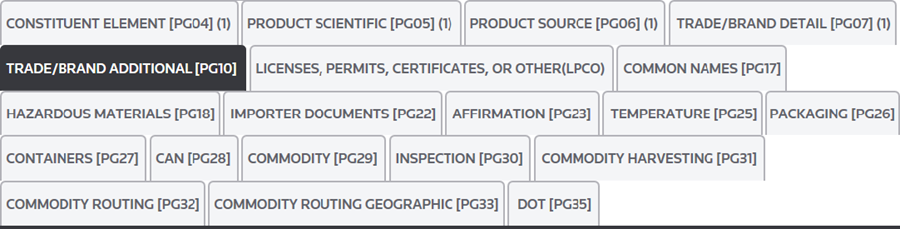
The following links are located at the top left corner of this section:
Links | Description |
|---|---|
Save | Save any data that was added or changed since the most recent save in Edit Mode. |
Cancel | Discard all changes made after the most recent save. The tab will revert to Read Only Mode. |
Edit | Activate Edit Mode so any necessary additions/modifications can be made to the open record. This action will only be made available once one or more records exist on the tab. |
Add New | Add a new record. This action will only be made available once one or more records exist on the tab. |
Delete | Delete the selected record. This action will only be made available once one or more records exist on the tab. |
If PG10 data is required, enter the appropriate information in the fields listed below:
Fields | Description |
|---|---|
Category Type Code | A code used to describe the reported item category. For a list of valid codes, see Appendix PGA (Category Type Code). |
Category Code | A code used to further describe the reported item. For a list of valid codes, see Appendix PGA (Category Code). |
Qualifier Code | A code used to indicate the type of essential or distinctive attribute/quality of an item. For a list of valid codes, see Appendix PGA (Commodity Qualifier Code). |
Characteristic Qualifier | A code used to specify the type of characteristic for the item (e.g. color, gender, age, etc.). For a list of valid codes, see Appendix PGA (Commodity Characteristic Qualifier). |
Characteristic Description | A freeform description of the item. This is used to either supplement or replace the above data elements. |
Once all required data has been entered, click
Save
and proceed to the Licenses, Permits, Certificates, or Other (LCPO)
tab.important
If you do not click
Save
before you move to the next tab, you will lose all of the data under the tab and will then need to re-enter it.

Related Content
-
PGA Data Screen (PGA Mapping)
Format: Article