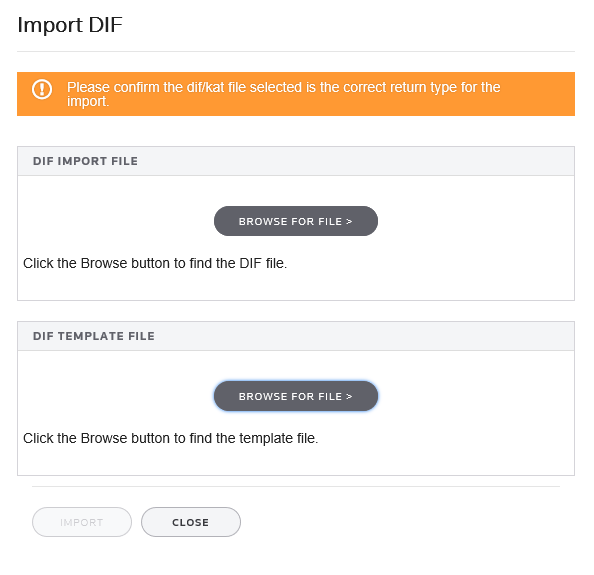
The DIF import feature populates certain fields within Organizer. There are three components of Organizer importing: Import DIF screen, DIF import file, and DIF template file.
note
Download all the current DIF templates from the landing page of your product and select
Data imports and exports
.
DIF Import Dialog
You can import from anywhere in the Organizer using the Import DIF dialog box. You can open the dialog box by selecting
Tools
, then
Import
.
note
The DIF limit is 65,535 rows and 256 columns. Any additional lines will fail DIF import.
Specify the DIF import file and DIF template file to import.
The
DIF Import File
area gives you the location and filename of the DIF import file. The DIF Import File contains the data to be imported into the Organizer. Import source files for Organizer must be in the Data Interchange Format. You can create an import file in a spreadsheet program such as Microsoft Excel. Import source files are usually referred to as “DIF files.”
The
DIF Template File
area gives you the location and filename of the Organizer import template (KAT file). Import templates act as a “road-map” for data from the DIF import file to specific fields within Organizer. Import template files have the extension KAT and cannot be opened or edited using Microsoft Excel. Import template files are usually referred to as “KAT files.”