
Insurance returns
Setting up ONESOURCE Income Tax for insurance returns begins like any other return.
- Start in the Binder list, complete the necessary set up of charts, and assign the charts to binders.
- Use the Tax Accounting System to import preliminary balances, make adjustments, and review the working trial balance and reports.
- Compute the binder to transfer the data to the Organizer.
- Finalize the return in Organizer.
Charts for Insurance Returns
In addition to assigning a federal chart of accounts and adjustment charts, you can also assign State TI Workpapers, Forms Mapping charts to insurance binders.
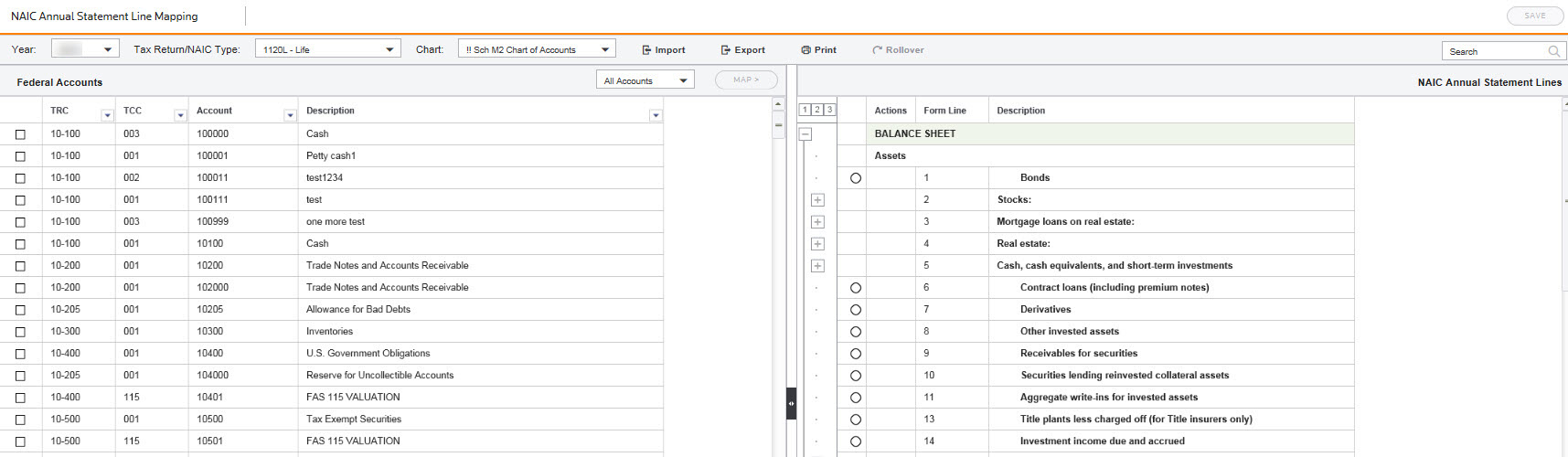
You can map accounts of a federal chart of accounts to the lines of the NAIC Annual Statement on the NAIC Annual Statement Line mapping charts. These mapping charts are year specific for a particular federal chart of accounts, for 1120L -Life and Separate Accounts, for 1120PC - Property/Casualty, Health, and Title NAIC types. The mapping charts are located in the
Charts
folder, under the Federal
folder, and named NAIC Annual Statement, Line Mapping
. When you assign the mapped chart of accounts to a binder, the NAIC Annual Statement Reconciliation views for 1120L and 1120PC automatically populate for the Balance Sheet and Statement of Income.NAIC Annual Statement Line Mapping Chart
Import data
You'll need to decide how you want to enter your information into ONESOURCE Income Tax. You can either:
- Use the Tax Accounting System and import balances and adjustment amounts, which also use the automatic Schedule M-3 functionality, or
- Import data from theNAIC Annual Statementinto Organizer.
The Tax Accounting System Schedule M-3 functionality creates Schedule M-3 Line Coding for 1120L and 1120PC. This maps your federal accounts to a specific Schedule M-3 chart, which automatically populates the form.
The
NAIC Annual Statement Reconciliation
screen allows you to review account detail in NAIC line format. There are also State Taxable Income (TI) Workpapers for insurance binders.note
If you use the ONESOURCE Tax Provision software, the tax adjustments and balances data entry functions in TAS makes it more compatible than using the NAIC transfer.
Consolidations
Complex federal regulations governing consolidations for mixed group consolidations are a difficult and complicated process. After correctly identifying your consolidation structure, several concerns that are unique to mixed group consolidations, such as loss reserve discounting, salvage and subrogation, failed-life returns, and statutory-to-tax adjustments require specialized expertise and intricate calculations.

