
1120L insurance workpapers
Insurance workpapers appear on the Tax Accounting System navigation tree for 1120L entities. The workpapers let you view group TRC data for form lines, enter data, and display calculations for reviewing. The workpaper data transfers to the Organizer so that the information is included in the insurance return and tax forms.
The insurance workpapers include:
- Schedule F Increase (Decrease) in Reserves
- Schedule G Policy Acquisition Expenses
- Prior Year DAC
Schedule F Increase (Decrease) in Reserves
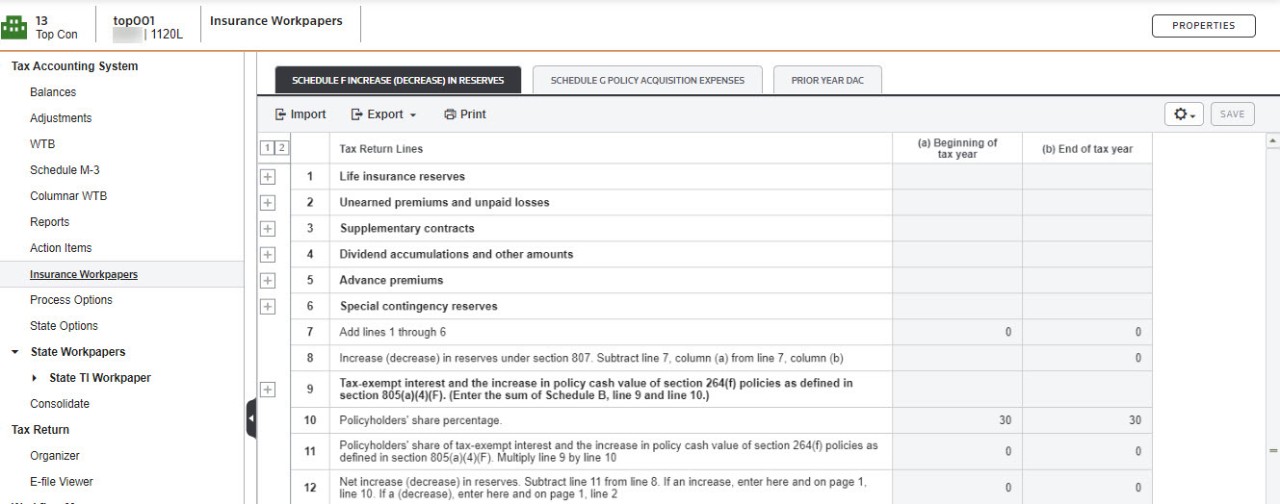
This workpaper accumulates amounts for TRCs, provides fields for data entry, and performs calculations on the Schedule F workpaper. Some rows are populated from the TRC descriptions and amount details.
The
Adjusted Tax Balance
column amounts from the Schedule F Reserves view of the WTB, populate the workpaper and transfer into the Organizer to populate Schedule F, lines 1 through 6 for Life Insurance reserves automatically. This WTB view has been designed to show the various adjustments necessary to arrive at the balances for Schedule F. TAS users populate the schedule by assigning TRCs. You can see the TRCs included in each line on the WTB
screen when you select the Schedule F Reserves
tab.The 64-x0x TRCs are used to reclass reserves from 1 type to another:
- the 1st digit designates the §807(c) reserve where the reclass is from
- the last digit designates the §807(c) reserve where the reclass is being reclassed
For example, TRC 64-102 is for a reclass from Schedule F §807(c)(1) reserves to §807(c)(2) reserves; thus the credit amount of the adjustment decreases the §807(c)(1) reserves and increases the §807(c)(2) reserves. These TRCs are assigned as Tax Return Presentation codes for tax adjustments. They are only used on the Schedule F. The adjustments don’t appear on any other tab of the WTB.
If you used the NAIC Annual Statement transfer for your prior year return, when you roll over the binder, the application populates the
Beginning of Tax Year
column of Schedule F in the current year Organizer. Then you can enter the beginning balance for Schedule F, lines 1 through 6 on the Total beginning balance - Initial year
lines on the TAS workpaper. Other lines on the workpaper, such as line 10a Required Interest Expense
, are populated when you enter data on the workpaper. Calculations are performed in TAS for the necessary lines.To keep the income in TAS consistent with the income on the Tax Forms in Organizer, use the TRCs that appear in lines 2 and 10 of
Page 1 for Taxable Income
of the WTB as necessary for the adjustments made on Schedule F.Schedule G Policy Acquisition Expenses and Prior Year DAC
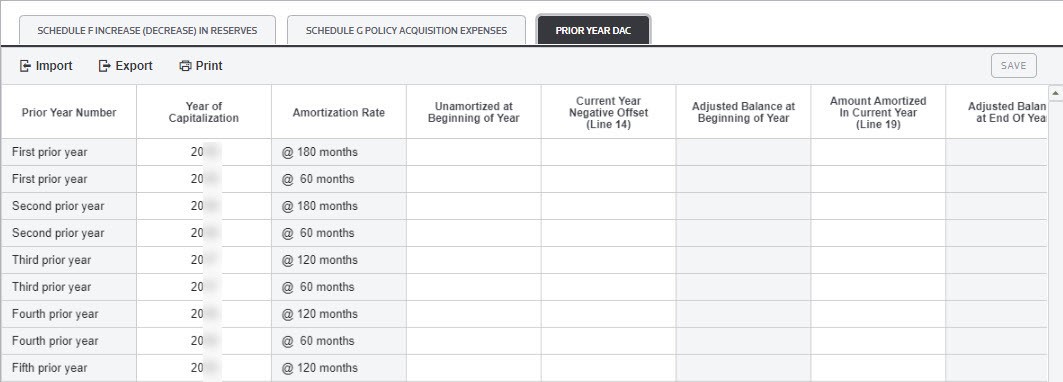
These workpapers accumulate amounts for TRCs, provide fields for data entry, and perform calculations. Lines 13 and 19 populate from the Prior Year DAC workpaper. To see the original amounts, you can select the links on the workpaper or select the
Prior Year DAC
tab. In subsequent years, when you roll over a binder, the end of the year balances from the prior year binder will populate the beginning of year balances of the Prior Year Amortization workpaper in the rolled over binder. 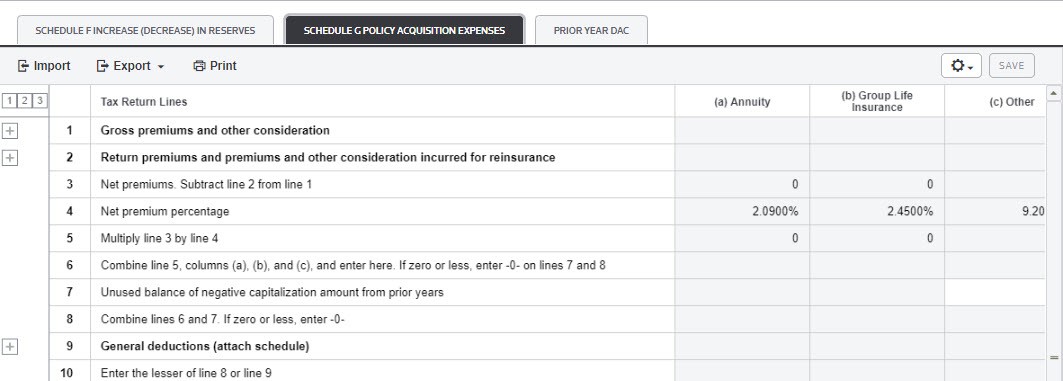
Related Content
-
Open Insurance Workpapers
Format: Article,
1 min read
Article,
1 min read

