
NAIC Annual Statement Reconciliation screen
The Tax Accounting System has two items in the navigation tree that are unique to insurance returns, the
NAIC Annual Statement Reconciliation
and Insurance Workpapers
.The
NAIC Annual Statement Reconciliation
screen has a Balance Sheet
and Summary of Operations
tab (for 1120L), or a Statement of Income
tab (for 1120PC).The views are sorted by the NAIC Annual Statement lines and display accounts according to the mapping chart you created in the
Charts
menu. Amounts display normal balances to be consistent with the NAIC Annual presentation. The views are expandable to show account and amount detail and are “read only.” You cannot enter data.Balance sheet tab view
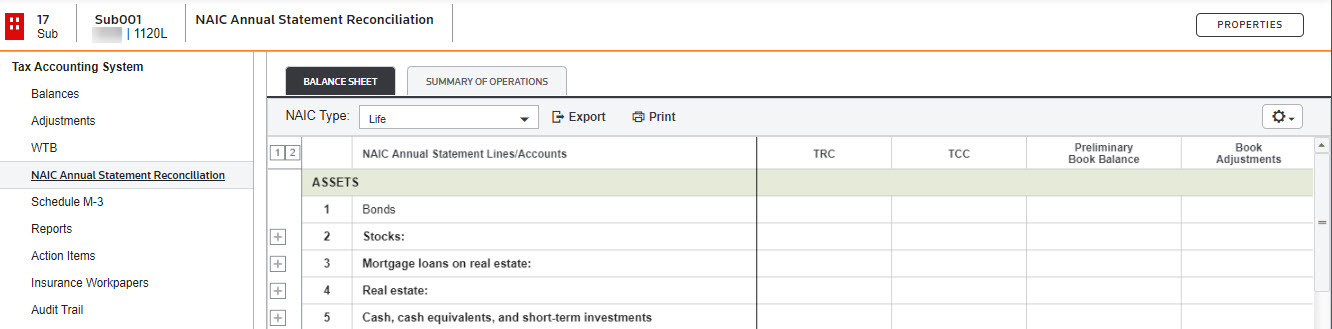
Summary of Operations view
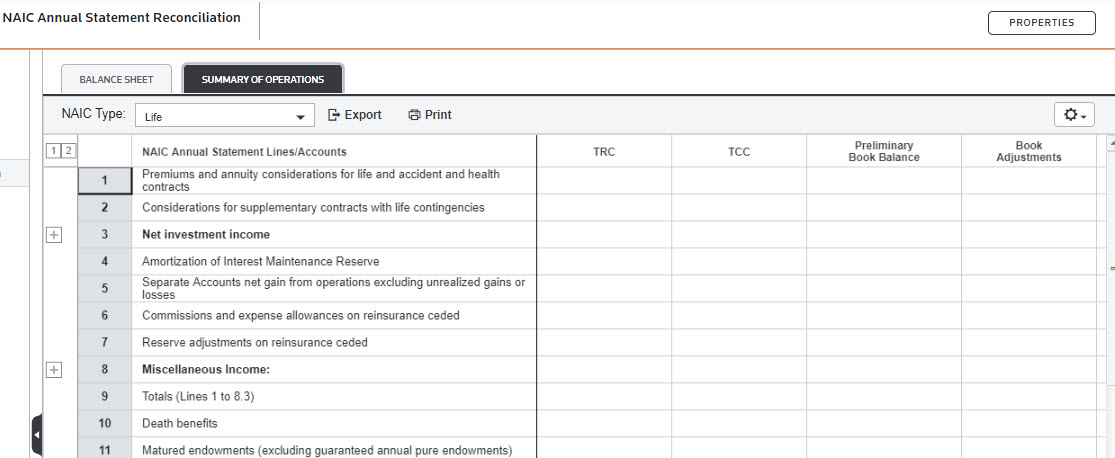
On the workpaper, you can select the
NAIC Type
from the dropdown.Select the gear icon  to change what you see on the NAIC Annual Statement Reconciliation.
to change what you see on the NAIC Annual Statement Reconciliation.Related Content
-
Open the NAIC Annual Statement Reconciliation
Format: Article

