Entering data in TAS involves entering preliminary book balances and then posting various adjustments to arrive at tax balances and calculated amounts.
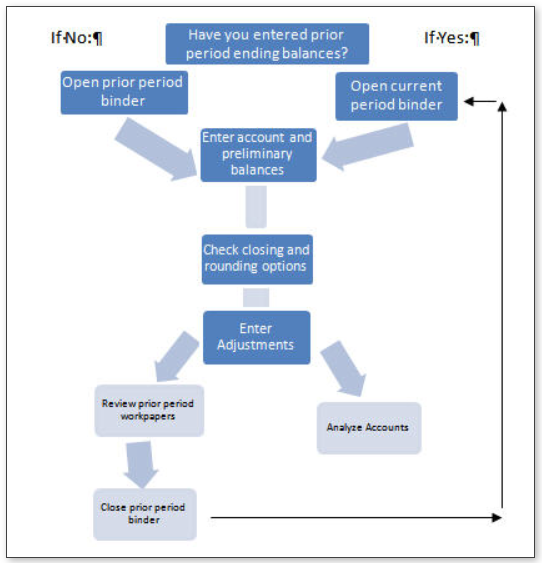
TAS workflow
Have you entered the prior period ending balances?
If no, open the
prior period
binder.
If yes, open the
current period
binder.
Select
Tax Accounting System
.
Select
Balances
and enter account and preliminary balances.
Select
Adjustments
.
If working in the prior period, review prior period workpapers. If working in the current period, analyze accounts as your final step in this process.
Close prior period binder and begin again with step 1.
Data will
not
transfer to the Organizer until you do the following:

 Article

