
Superfund for SuiteTax
Superfund is a federal excise tax on taxable chemicals sold or used by a manufacturer, producer, or importer starting July 1, 2022. You'll need to perform product mapping in ONESOURCE, create the corresponding product code in NetSuite, and set up a Unit of Measure.
- Set up an item using an example with ACETYLENE.
- Check the Unit of Measure in ONESOURCE.
- Look up ACETYLENE in the ONESOURCE Platform and note theUnit of Measure, which is STN.
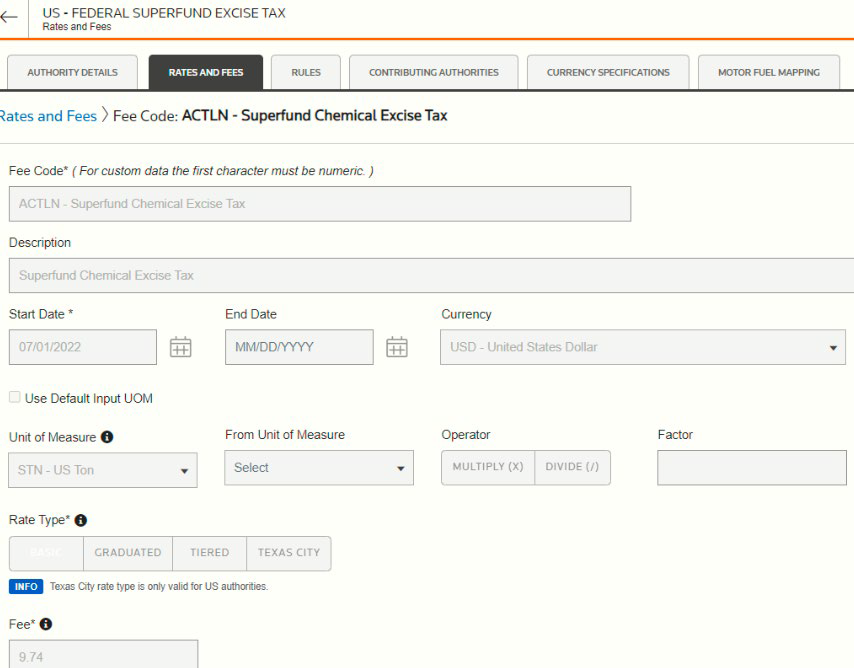 noteUse the same unit of measure to avoid conversions.
 - Set up STN as theUnit of Measurein NetSuite.
- Add the XML tagnlapi:TAX/nlapi:TAX_AMOUNT/nlapi:DOCUMENT_AMOUNTon theXML Response Line Attributestab.
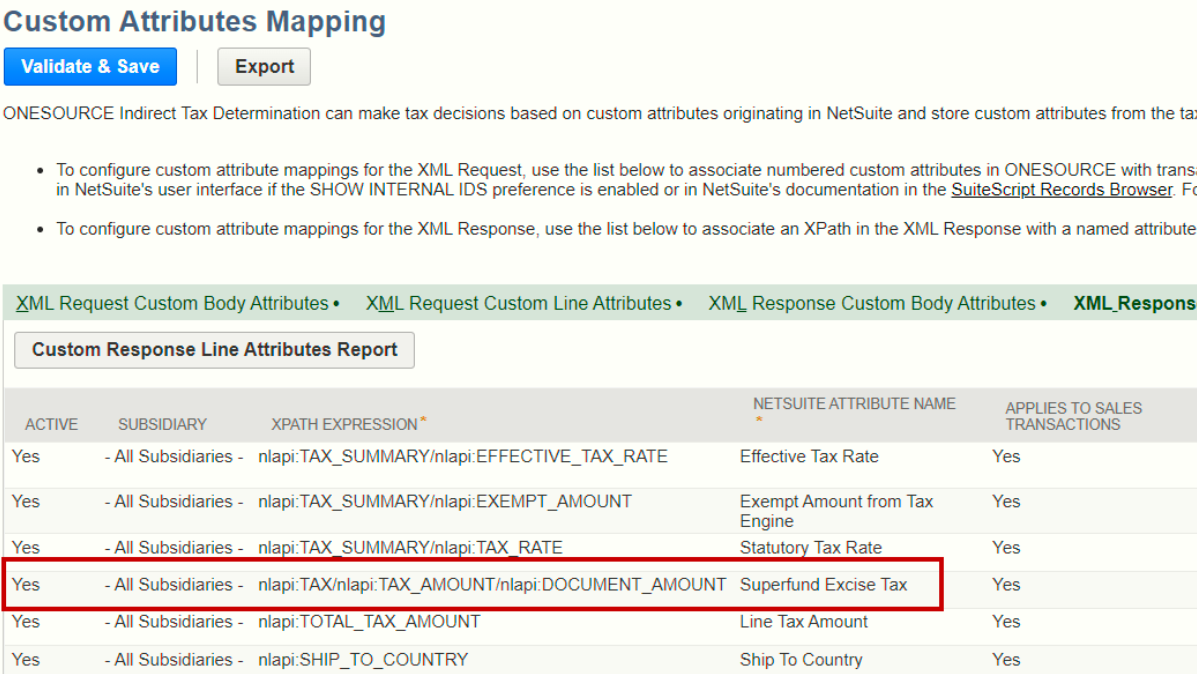
- Create the inventory item for ACETYLENE and set theUnit of MeasuretoSTN.
- Go to theONESOURCE Contenttab on the inventory item and assign a product code.
- Go to ONESOURCE Platform, then map the NSACSF product code to ACETYLENE.

- Create an invoice to test the Superfund.
- Select a customer located in San Diego where Superfund tax is applicable.
- Enter the invoice line item.
- Use the item you previously created and mapped to ONESOURCE for the invoice.
- Save the transaction and check the Superfund tax.
 noteTo check if the tax is computed correctly, set up a scenario in ONESOURCE. First, enter the same address as the customer. Then, use the ACETYLENE product code as the line item under Document Line Information. SelectSaveand view the results.
Related Content
-
2.3.3.0 integration for NetSuite
Format: Article,
2 min read
Article,
2 min read