
2.3.3.0 integration for NetSuite
The ONESOURCE Indirect Tax Integration for NetSuite 2.3.3.0 upgraded modules to SuiteScript 2.x API:
- Configuration
- Custom Attribute
- Tax Type and Tax Codes
This upgrade ensures we take advantage of new API features. There is no change in functionality.
Supported source versions for NetSuite
- NetSuite OneWorld and ERP in SuiteTax enabled accounts
- Built for NetSuite (BFN) validated
- SuiteCommerce standard and SuiteCommerce advanced (U.S. and Canada) in SuiteTax enabled accounts
Technical changes
Vendor Tax Calculation Verification feature
The Vendor Tax Calculation Verification (VTCV) feature compares the tax provided by the vendor in NetSuite with the tax calculated by ONESOURCE Determination. Each subsidiary gets the feature enabled. You'll need to use the 2020 SOAP URL to update your 2011 SOAP URL because the old 2011 version doesn't support this feature. 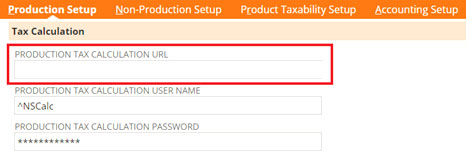
To enable the Vendor Charged Tax:
- Go toAccounting Setup, thenVendor Charged Tax.
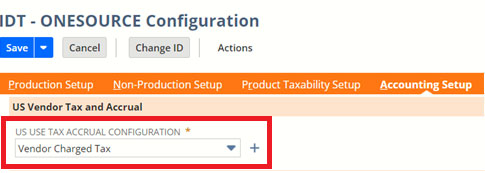
- Select the tax code for the vendor inVendor Tax Code.
- Select the tax code for the vendor inVariance Tax Code.
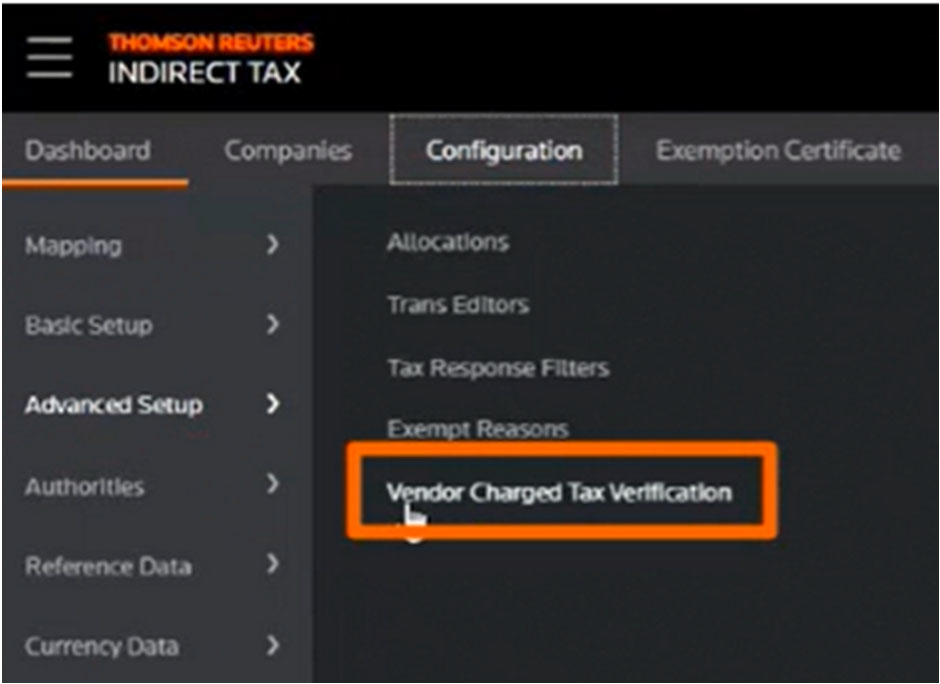
- SelectVendor Charged Tax Verificationin the ONESOURCE Platform.
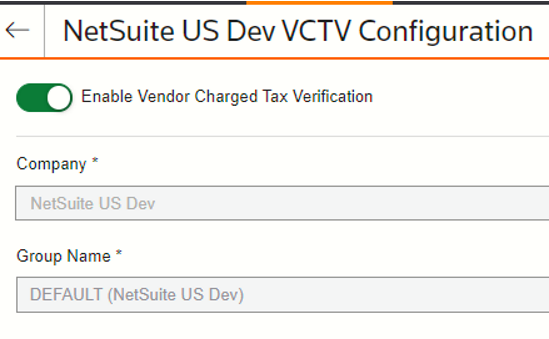
- Select the company, then selectEnable Vendor Charged Tax Verification.
Closed issues
We fixed the bug in the
IDT - Address Validation - Suitelet v2
script that caused the error EXCEEDED_MAX_FIELD_LENGTH. This update improves how error messages show and validated for the Address Validation feature.Related Content
-
Integration with NetSuite SuiteTax
Format: Article