Oracle fusion automated content updates
ONESOURCE Indirect Tax Suite offers an Automated Content Upload (ACU) feature for Oracle Fusion. This integration streamlines the process of distributing tax content across global regions, reduces physical intervention, and ensures operational consistency.
This article explains the key concepts, required configurations, and ongoing management of the ACU within Oracle Fusion.
- ONESOURCE Indirect Tax Suite integrates with Oracle Fusion Enterprise Resource Planning (ERP) to simplify global indirect tax requirements.
- The suite includes Determination, Integration for Oracle Fusion Tax, Contents, Reporting, and Compliance.
- Oracle validates ONESOURCE Integration and is listed in the Oracle Cloud Marketplace.
- This release supportsAutomated Content Uploadto Oracle Financials Cloud.
Key features
Corporations that use Oracle as their ERP system can simplify worldwide indirect tax requirements by implementing ONESOURCE Indirect Tax Suite. The suite includes Determination, Integration for Oracle Fusion Tax, Contents, Reporting, and Compliance modules.
Oracle has validated and approved the ONESOURCE Integration for Oracle Fusion Tax, listing it on the Oracle Cloud Marketplace. Oracle Cloud Marketplace, part of the Oracle Partner Network, verifies third-party integration solutions meet standards, and perform as documented.
You can view the ONESOURCE Integration listing here. This release supports Oracle Financials Cloud by enabling
Automated Content Upload
from ONESOURCE.Intended audience
If you are managing the ONESOURCE Integration set up for Oracle Fusion Tax, work closely with these roles:
- Oracle Business Systems Analyst
- Oracle Technical Resource
- Tax Professional
Resources
- Find answers in the Knowledge Base or open a support ticket as needed.
- Thomson Reuters Tax & Accounting Indirect Tax builds, maintains, and owns the ONESOURCE Integration for Oracle Fusion Tax.
- A dedicated team of Oracle Business Systems Analysts and Quality Assurance staff follows Oracle standards.
- If you have problems with ONESOURCE Integration or Compliance Integration for Oracle Fusion Tax, open a support ticket at Thomson Reuters Support.
What is Automated Content Upload?
Automated Content Upload
?The
Automated Content Upload
feature uploads tax content systematically to Oracle Fusion ERP. ACU supports both TR and Non-TR Content. Typically, tax content upload involves a 1-time master content upload for each country, followed by monthly updates as needed.For new customers, ACU performs the following:
- Uploads geography content (TR Content and Non-TR Content)
- Uploads master content for the Tax Configuration Workbook (regime to rate flow)
- Uploads master content for Tax Rate accounts
For existing customers, ACU performs the following:
- Uploads geography content as needed for monthly updates
- Uploads incremental content updates if there are differences between the prior and current month
- Uploads Tax Rate accounts for rates newly uploaded with the incremental update
ACU also lets you monitor and track the status of content updates for each subscribed country.
Prerequisites for ACU configuration
Before setting up ACU, ensure the following:
- You have access to ONESOURCE Portal with Oracle Cloud ERP access.
- You have established connectivity between Oracle Fusion Cloud and ONESOURCE Integration.
- Valid GL code combinations exist for the accounts to be uploaded.
- The Tax Service Account has the Application Implementation Consultant role.
Set up tax rates
- Go to .
- Select the correct pod in the Pod Selector.
- Select the business unit or country to set up.
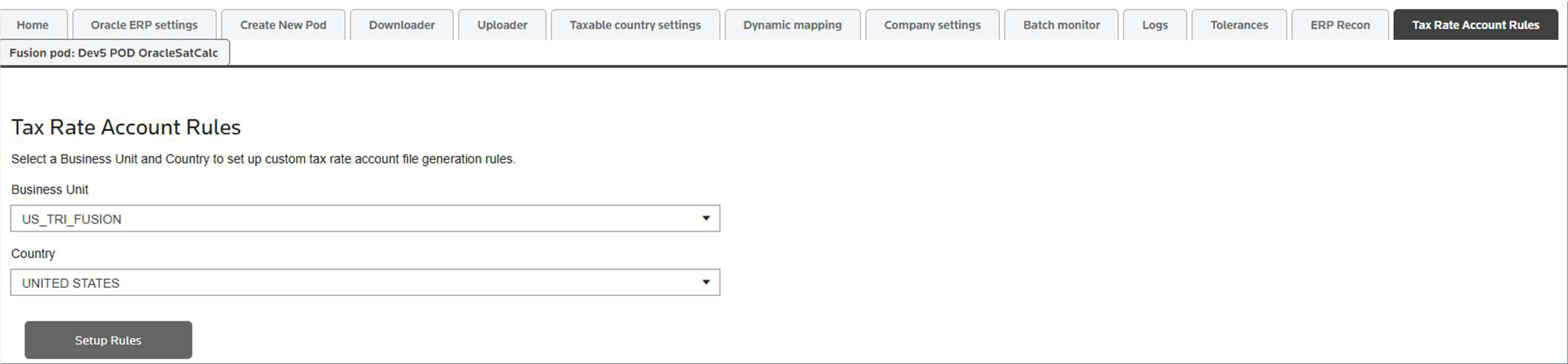
- Create standard tax account default rules that apply across Tax Rate Codes for the country and business unit combination.
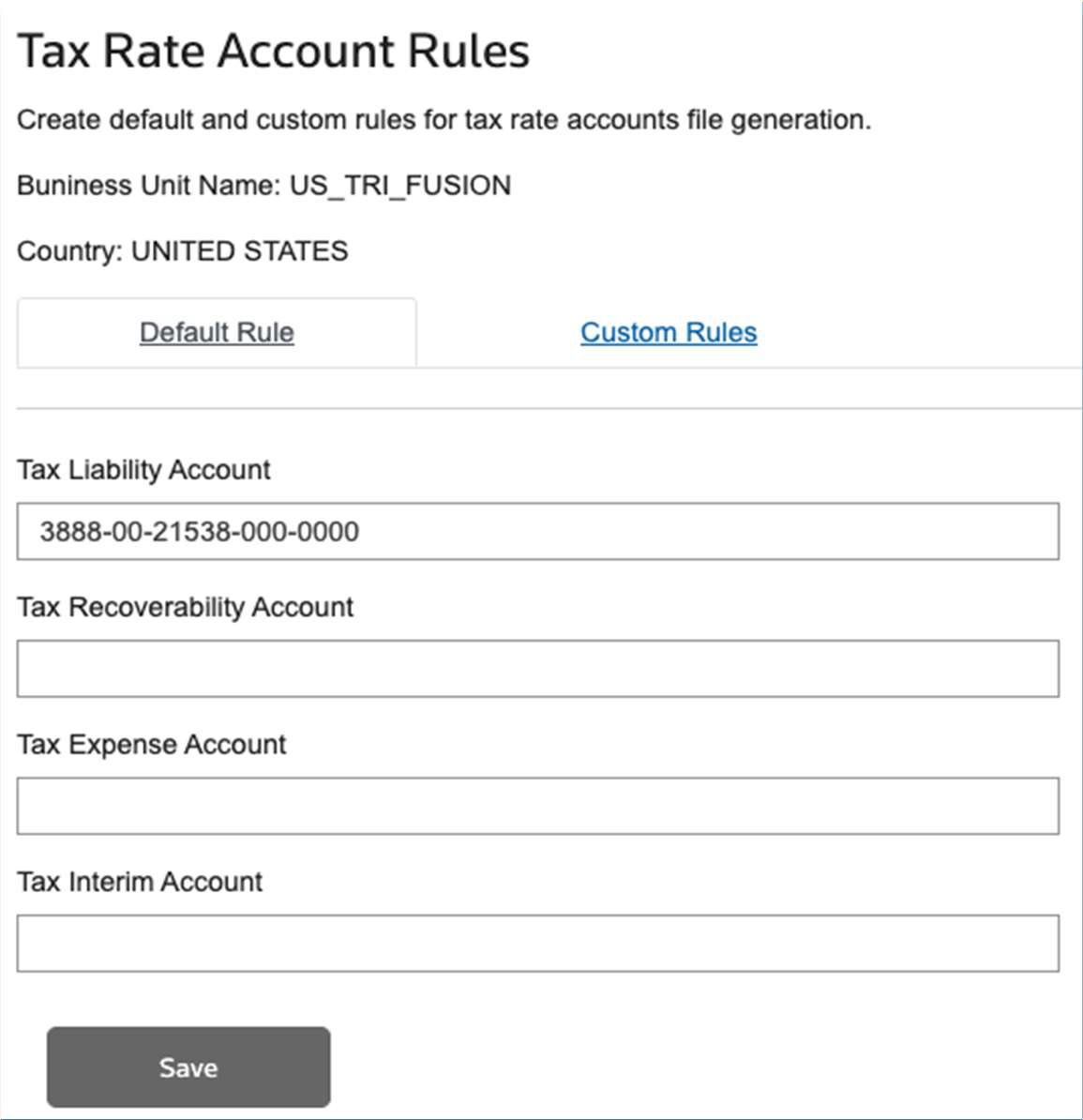
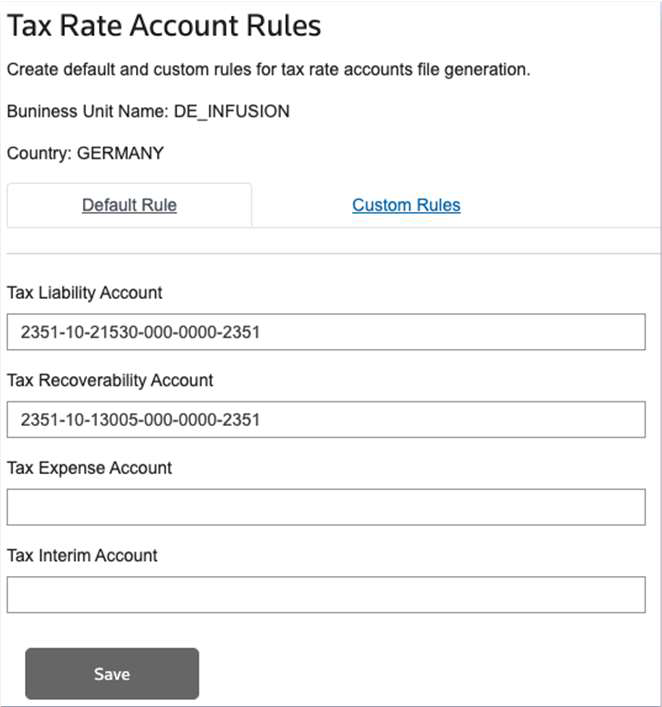
- Provide the account code combinations, then save the configurations, and import the tax rate accounts into ERP.
- Define custom rules for specific tax regulations at the state level, by Tax Rate code, ERP tax code, tax type, or tax direction.
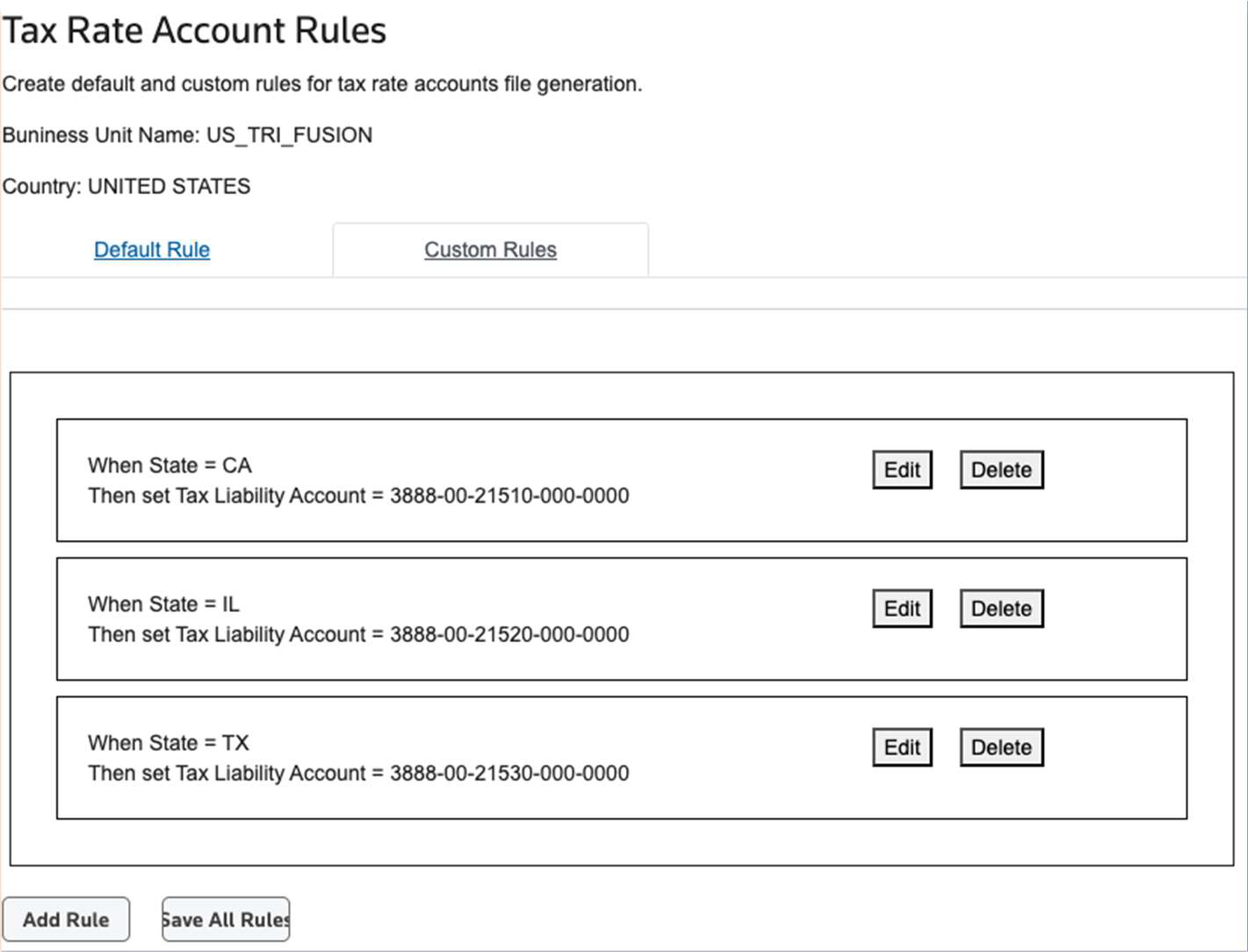
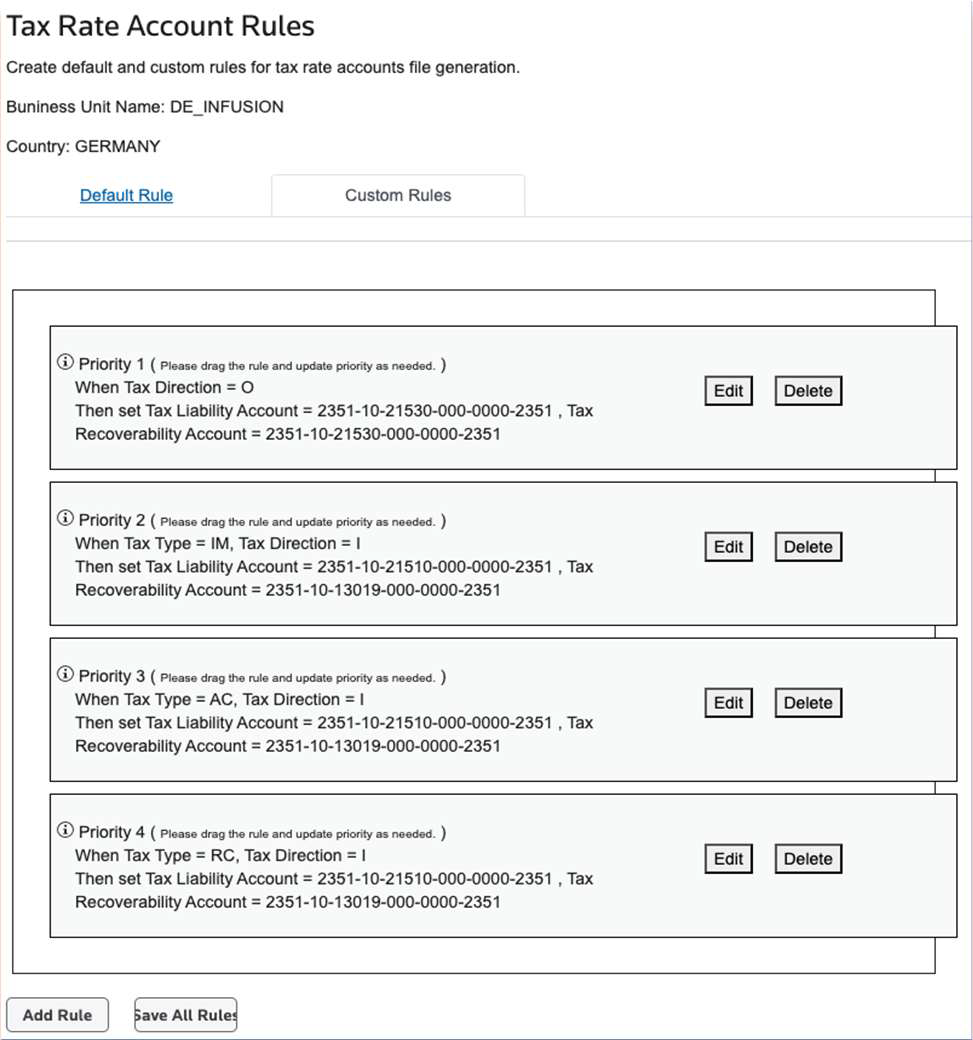
- Save all rules to store the configurations correctly.
- SelectImport Rate Accounts to ERPon the same screen if you need to update all accounts for a country/business unit combination. Perform this only when accounting set changes, not during the initial ACU set since ACU handles the initial upload sequence.
Enable the Automated Content Upload subscription
Automated Content Upload
subscription- Go to Fusion Integration, then select theTaxable country settingstab.
- Select theAutomated Content Uploadtab.
- SelectModern Summarizationas the tax configuration on theTax Settingstab.
- On theAutomated Content Uploadtab, enable content upload automation:
- SetSubscribe to Automated Content UploadtoYes.
- Select theContent Type.
- TRfor TR Geography
- Non-TRfor third-party geography
- SetContent Month/Year
- If the exact content date is not known leave the content year/month as blank to install the master content. Only incremental will upload from the following month.
- Set it to the latest content that was uploaded for the country in Oracle
- Save the settings.noteIf your business operates in multiple regions, enableAutomated Content Uploadto streamline tax content management.
Check the import process from the Uploader tab
Uploader
tab- After enabling ACU, the scheduler queues the import process every 10 minutes. Oracle then submits an ESS process for the upload.
- Monitor the import status through theUploadertab, which provides visibility into ongoing operations.
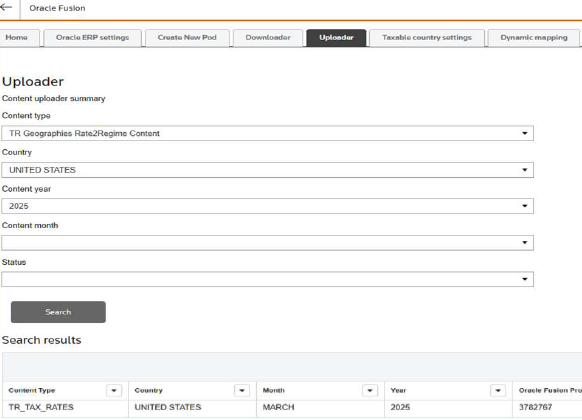
- After the upload completes, download logs containing the uploaded content file and ESS process logs.
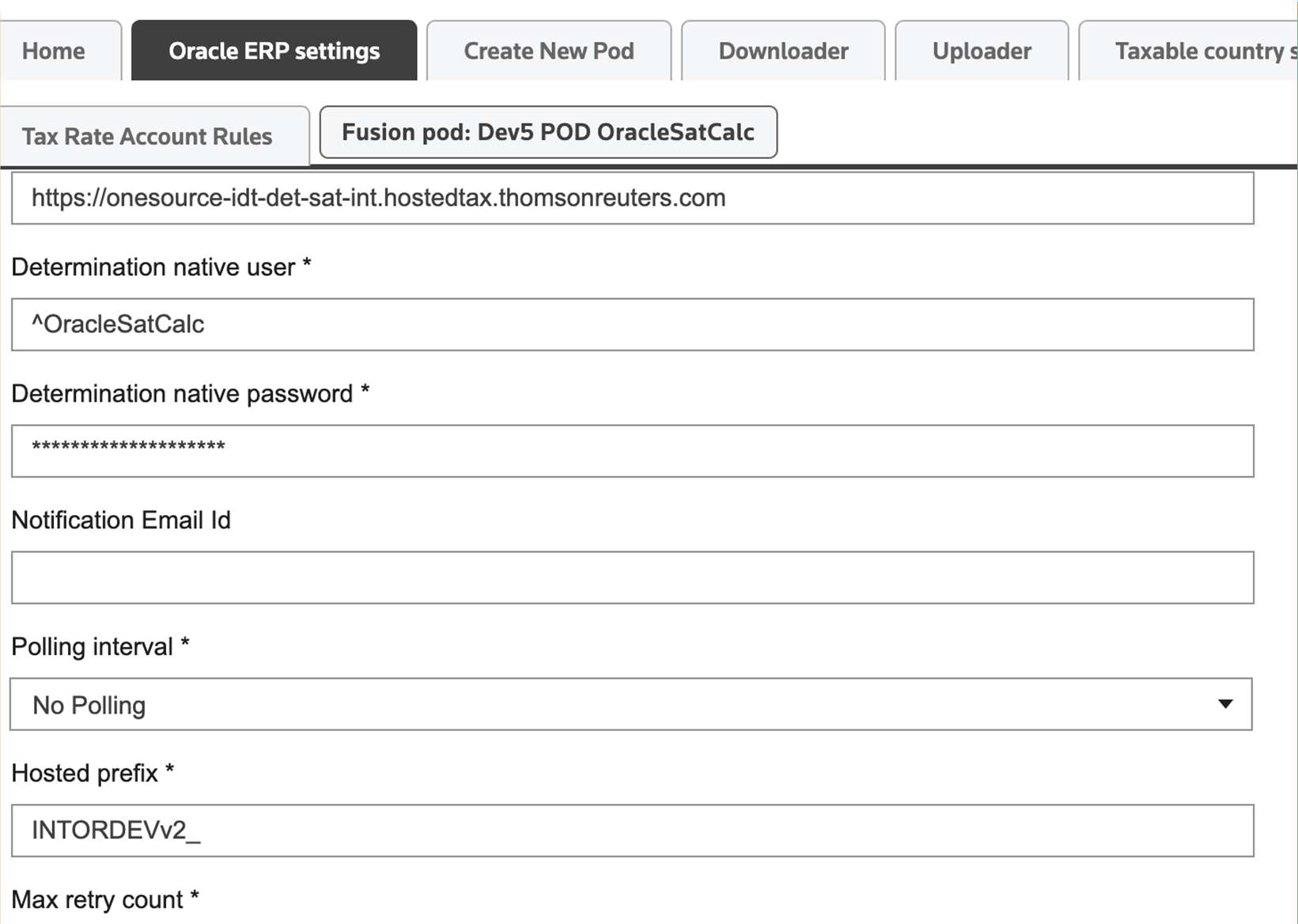
- The system sends an email notification to the designated user upon job completion. Configure the notification email address in Oracle ERP settings.
Pause the content update
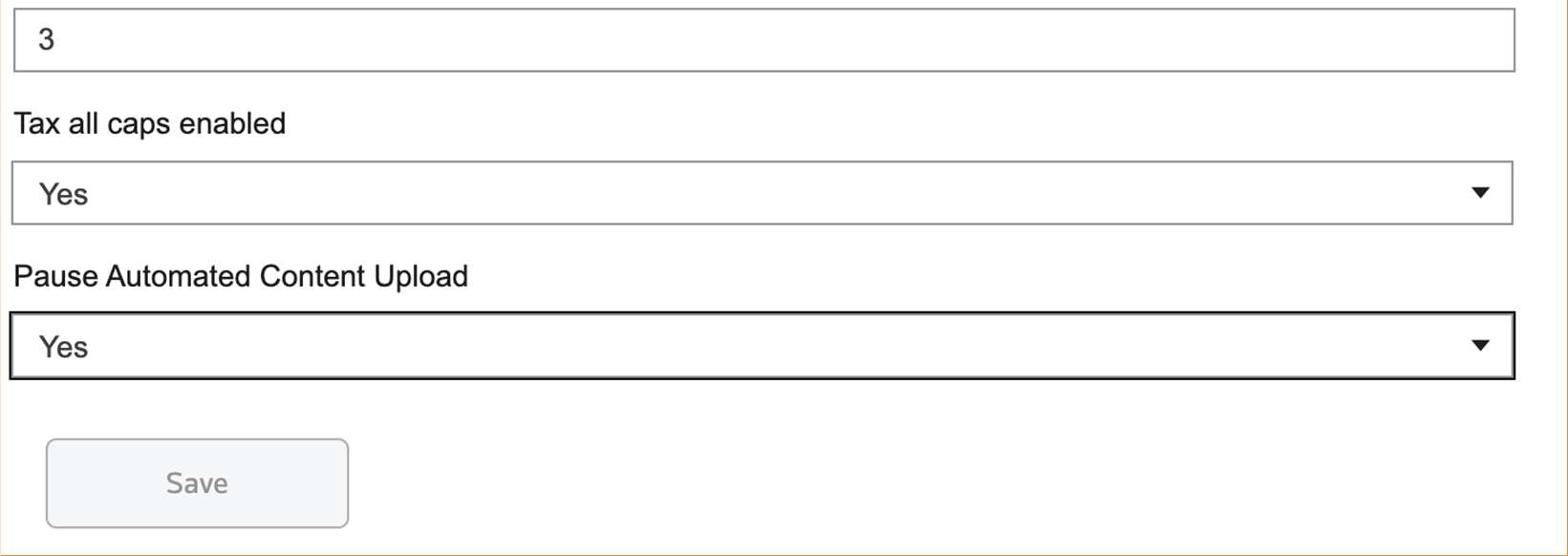
You can control automated content updates in the Integration user interface. Before you refresh an Oracle instance from production, set
Pause Automated Content Upload
to Yes
in the Oracle ERP Settings page. This action turns off content updates for the selected Oracle pod.