
Superfund for SuiteTax
Superfund is a federal excise tax on taxable chemicals sold or used by a manufacturer, producer, or importer starting July 1, 2022. You'll need to perform product mapping in ONESOURCE, create the corresponding product code in NetSuite, and set up a Unit of Measure.
- Set up an item using an example with ACETYLENE.
- Check the Unit of Measure in ONESOURCE.
- Look up ACETYLENE in the ONESOURCE Platform and note theUnit of Measure, which is STN.
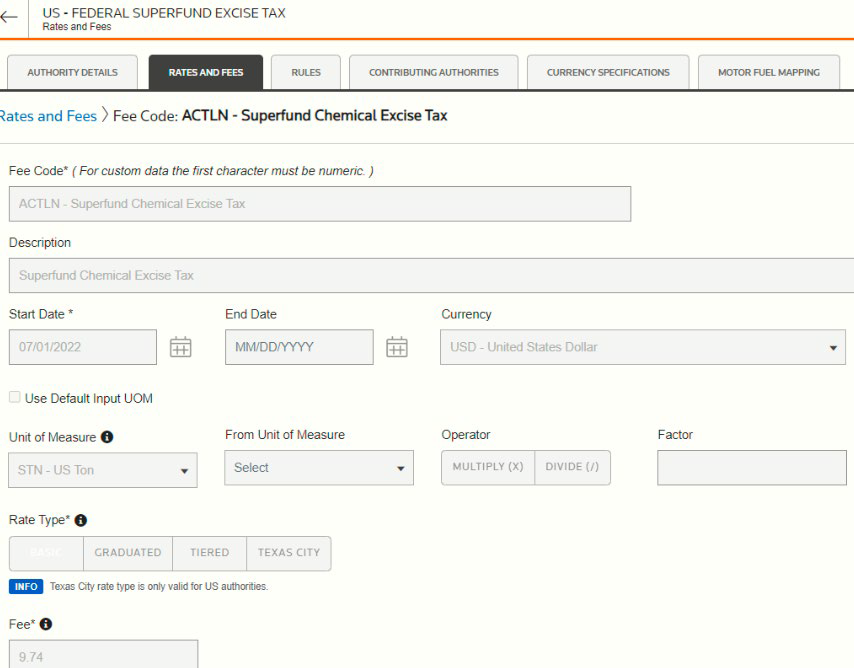 noteUse the same unit of measure to avoid conversions.
 - Set up STN as theUnit of Measurein NetSuite.
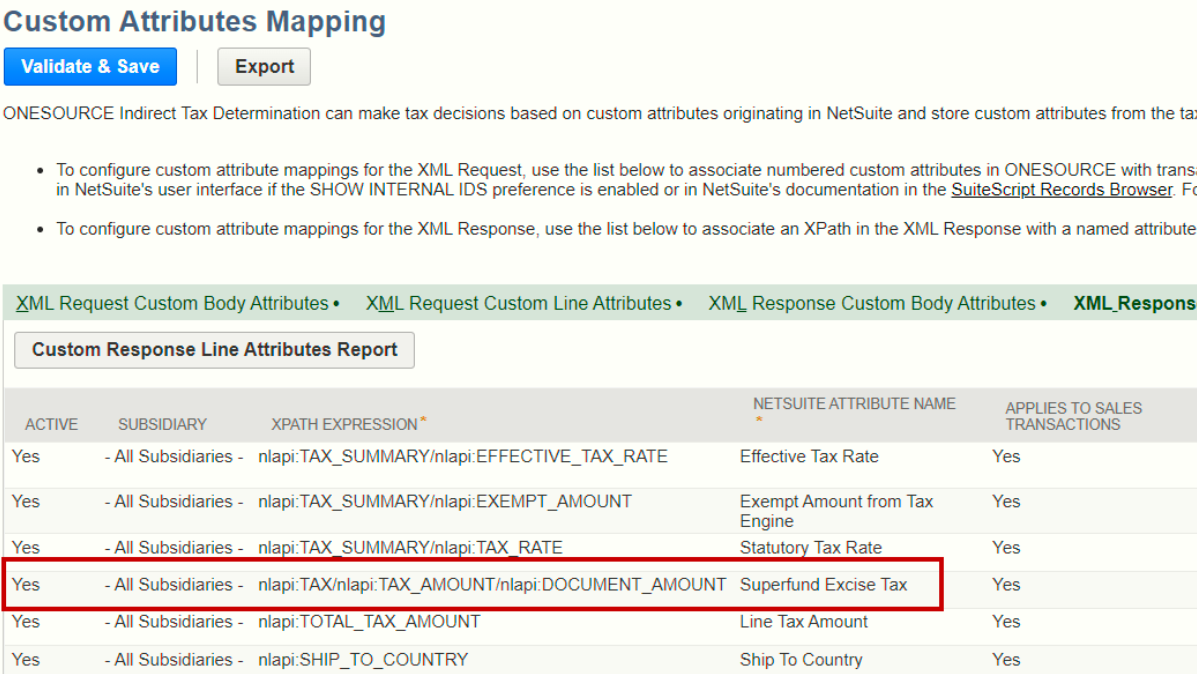
- Add the XML tagnlapi:TAX/nlapi:TAX_AMOUNT/nlapi:DOCUMENT_AMOUNTon theXML Response Line Attributestab.
- Create the inventory item for ACETYLENE and set theUnit of MeasuretoSTN.
- Go to theONESOURCE Contenttab on the inventory item and assign a product code.
- Go to ONESOURCE Platform, then map the NSACSF product code to ACETYLENE.

- Create an invoice to test the Superfund.
- Select a customer located in San Diego where Superfund tax is applicable.
- Enter the invoice line item.
- Use the item you previously created and mapped to ONESOURCE for the invoice.
- Save the transaction and check the Superfund tax.
 noteTo check if the tax is computed correctly, set up a scenario in ONESOURCE. First, enter the same address as the customer. Then, use the ACETYLENE product code as the line item under Document Line Information. SelectSaveand view the results.