
Work in E-Filing Manager
Indirect Tax Compliance has the ability to electronically submit returns for various jurisdictions.
ONESOURCE E-Filing Manager is a separate utility that lets you manage the returns you have filed electronically in Fringe Benefit Tax. For example, you can check the status of a filing or print a return. If you are using a tax agent you must also configure the appropriate settings.
You can do the following tasks in the E-Filing Manager:
- Setting the tax agent identifier
- Setting the user type (company or tax agent)
- Check the filing status of your submitted returns
- Print the return
- Validating and filing the return in E-Filing Manager
- Resubmitting a failed return
- Defining users' access to e-filing
To open ONESOURCE E-Filing Manager:
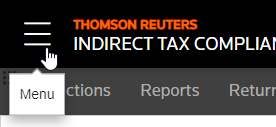
- Select theMenufor ONESOURCE Administration.
- In the list of your applications, select Open
 for the E-Filing Manager.