
Germany VAT return e-filing
You can file Germany VAT returns to ERiC.
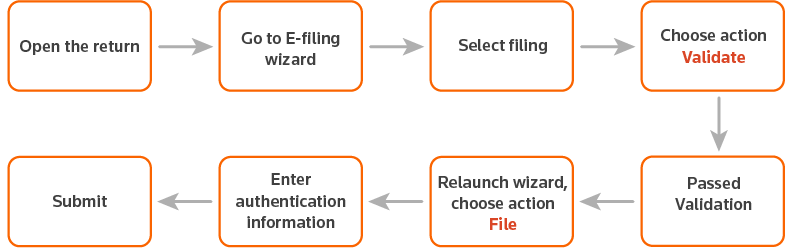
- Open the VAT return you want to export.
- SelecteFile
 to open the wizard.
 - On the1 Filingstab, selectVAT monthly or quarterly – USt1A, then selectNEXT.
- On the2 Actionstab, selectValidate, then selectNext.
- Once the return has been sent to ONESOURCE E-Filing Manager successfully, theStatustab opens and displays a confirmation message. SelectRefresh Statusto check the status.
- The expected status isPassed Validation.
- Relaunch the wizard, selectFile, then selectNext.
- Enter your authentication information, then selectNext.
- Once the return has been sent to ONESOURCE E-Filing Manager successfully, theStatustab opens and displays a confirmation message. SelectRefresh Statusto check the status.
- If the return has been successfully filed with ERiC, the e-filing status will beSuccessful (E File). SelectExportto download the Receipt.