
Customize grids
Hide or show columns
To display columns in a grid:
- SelectShow/Hide Columns.
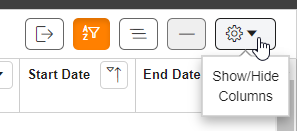
- Select the checkboxes for the columns you want to be displayed. Clear checkboxes to hide columns you don’t want to be displayed. The grid updates instantly. Select anything in the grid to close the menu.
Move columns
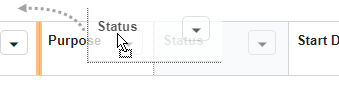
To reorder columns, select and drag a column header to the desired location.
Resize columns
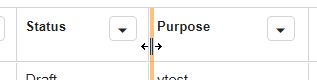
To resize columns, hover over the far right border of a column header until the cursor turns into a double arrow. Select and drag the border to adjust column width.
Related Content
-
Quick start guide
Format: Article,
1 min read
Article,
1 min read