
Import details
Import Details
provides a high-level overview showing the status of the import and a summary of the data imported.To open the Import Details window, go to
Transactions
, then Import Details
. You can select a hyperlink to show transaction details. You can also add a filter to any column to restrict the list by criteria you specify. The  in a column indicates that the display is filtered on this column.
Filter Applied
icon in a column indicates that the display is filtered on this column.Imports that are still in progress show the completion percentage in the
Status
column. Colored icons in this column indicate the status of completed imports.
note
To show these indicators you should turn on the setting
Enable progress percentage tracker for import jobs
(Administration
, then Settings
).If there are problems with the import that prevented a successful import, correct the data at the source and import the corrected data into Indirect Tax Compliance.
Upload Details
When the 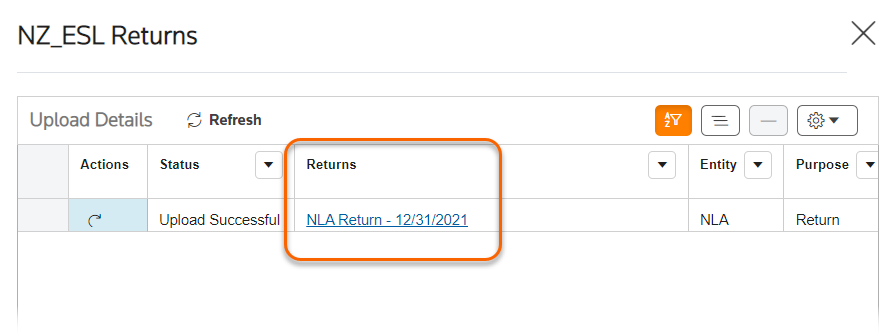
View uploads
icon appears next to a transaction, you can select it to show details for the upload. On the Upload Details
window, select the hyperlink in the Returns
column to open the return. Bulk deletion of imports
With this feature, users can select a maximum of 100 imports on Import Details page and delete them with a single click, eliminating the need for repetitive tasks and ensuring smoother import operations.
- Users can select imports of their choice and initiate the deletion process by selectingDelete.
- During deletion, affected rows are greyed out, and the delete option is disabled to prevent concurrent actions on selected imports.
- This restriction only applies to the selected imports, allowing users to continue regular actions on other import files.
note
- If any of the selected imports have “read-only” or “no access” returns, then those imports cannot be deleted and the relevant notifications “Delete Failed, Return is in state read-only state”/ “Delete Failed, Return is in No access state” will appear.
- This feature is enabled by default through the setting Importer: Enable multiple import deletion.