Status of data
The following list describes the possible statuses:
- Active– All transactions with no errors flowing directly to the Returns. This includes any transactions with warnings or edited transactions flowing to the Returns.
- Edited– Transactions that a user edited. This view contains the edited transaction and the reversal of the original transaction. The edited transaction will flow through to the Returns; the reversal of the original transaction is shown for audit purposes.
- Error– Processed transactions, but have an error. This data doesn't flow through to the Returns until you correct the error.
- Warnings– Transactions that have a warning or exception. You can review these transactions and adjust. This data flows directly to the Returns and is also included in theActiveview.
An audit trail showing the Import Date and User Name is also visible.
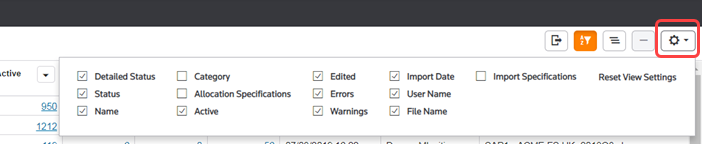
You can customize your view by adding new fields and reordering or grouping fields. To add new fields, select
Show\Hide columns
.