
View transaction details
You can view details of an import, including the specifications used and specific information such as warnings.
- SelectTransactions, thenImport Details.
- On theImport Detailsscreen, select any hyperlink.

The View Transactions window opens.
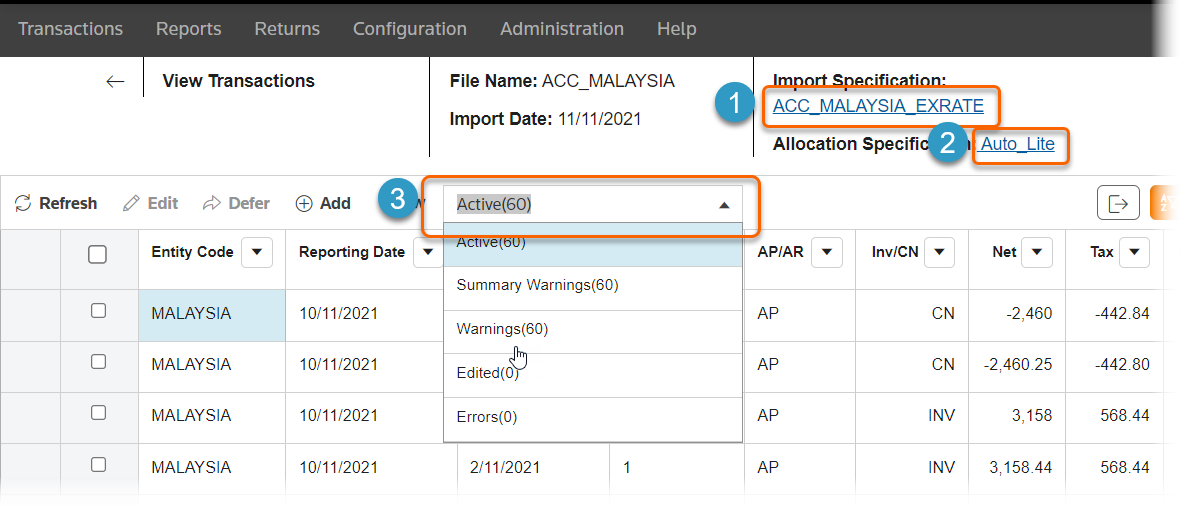
On the View Transactions window, you can:
- Select the hyperlink to open the import specification.
- Select the hyperlink to open the allocation specification.
- Filter the list to show warnings, errors, or edited transactions.
You can also select transactions to edit.
Related Content
-
Edit transactions
Format: Article