
VAT for E-Commerce One-Stop Shop
One-Stop Shop (OSS) allows online sellers engaging in B2C e-commerce in the EU to register in one member state for the reporting of distance sales of good and cross-border services. B2C transactions in the EU can be reported with a single VAT return.
You can use ONESOURCE Indirect Tax Compliance to file the required OSS, as well as IOSS and MOSS returns, with all applicable countries covered. OSS returns are processed like any other return, but there are some requirements specific to OSS to be aware of.
OSS Entities and Mapping
- OSS entities (created in Entity Manager) use a unique jurisdiction,OSS. The return template for this jurisdiction allows users to generate the return for filing OSS / IOSS / MOSS.
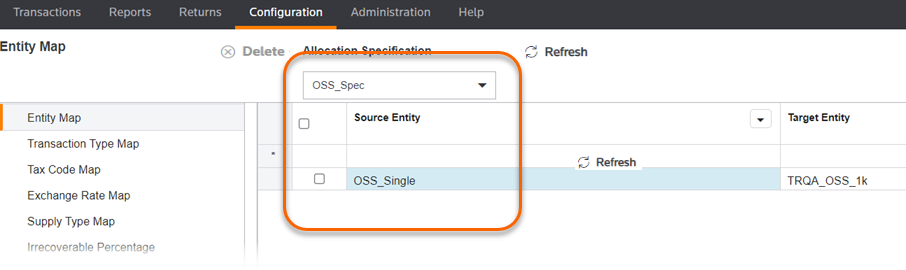
- OSS entities are mapped in the allocation specification.
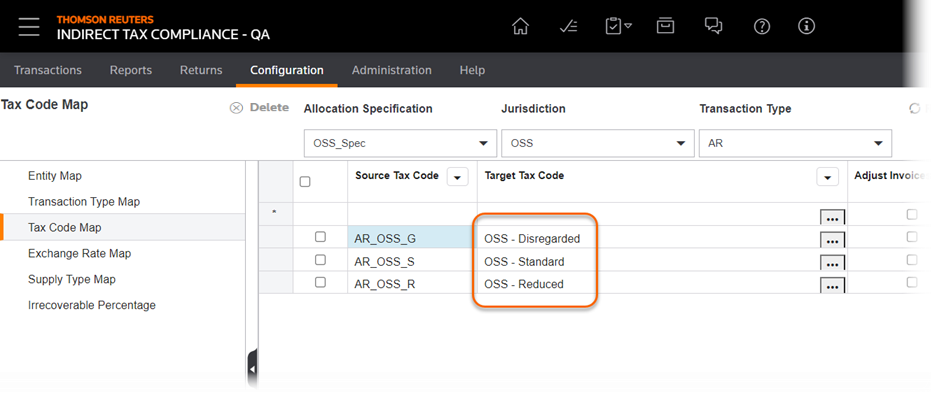
- The OSS template supports three tax codes: Standard, Reduced, and Disregarded. Transactions that have been mapped to Disregarded are not uploaded to the return.
Creating OSS Returns
- The entity you select on page 2 of the return creation wizard must use the OSS jurisdiction.
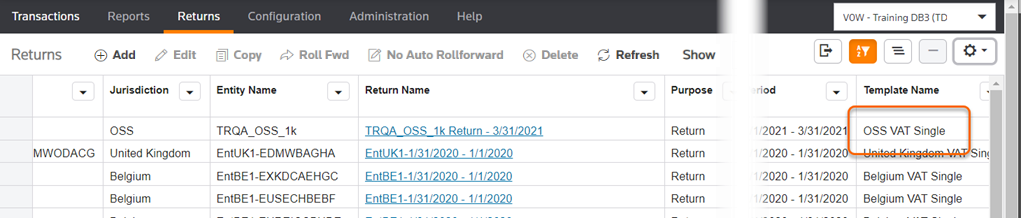
- OSS returns use theOSS VAT Singletemplate (page 3 of the wizard).
Working with OSS Returns
- You can open the list of returns to see the template associated with a particular return.
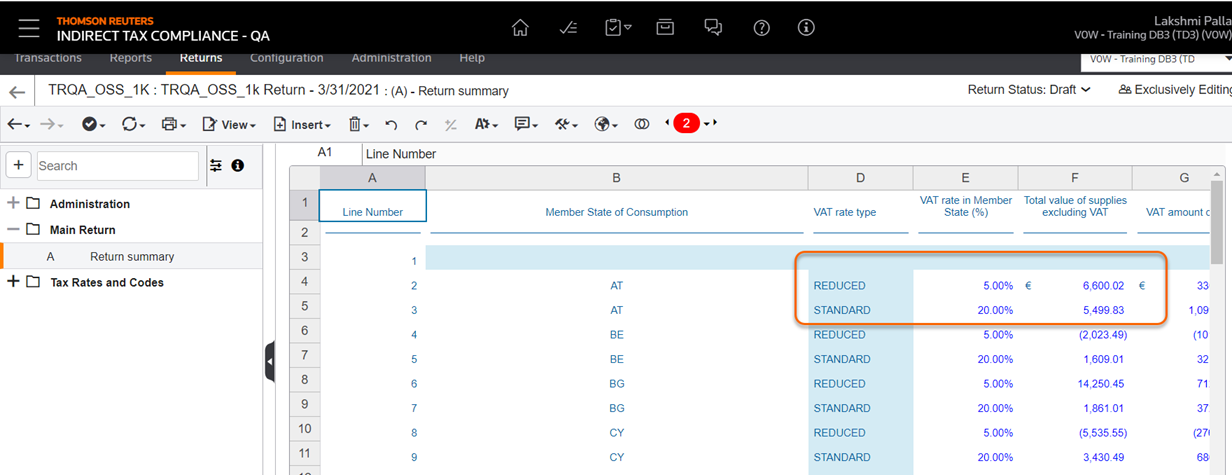
- The tax return summary shows the total transactions and reductions aggregated by customer country and applicable tax rate.
OSS Returns Corrections
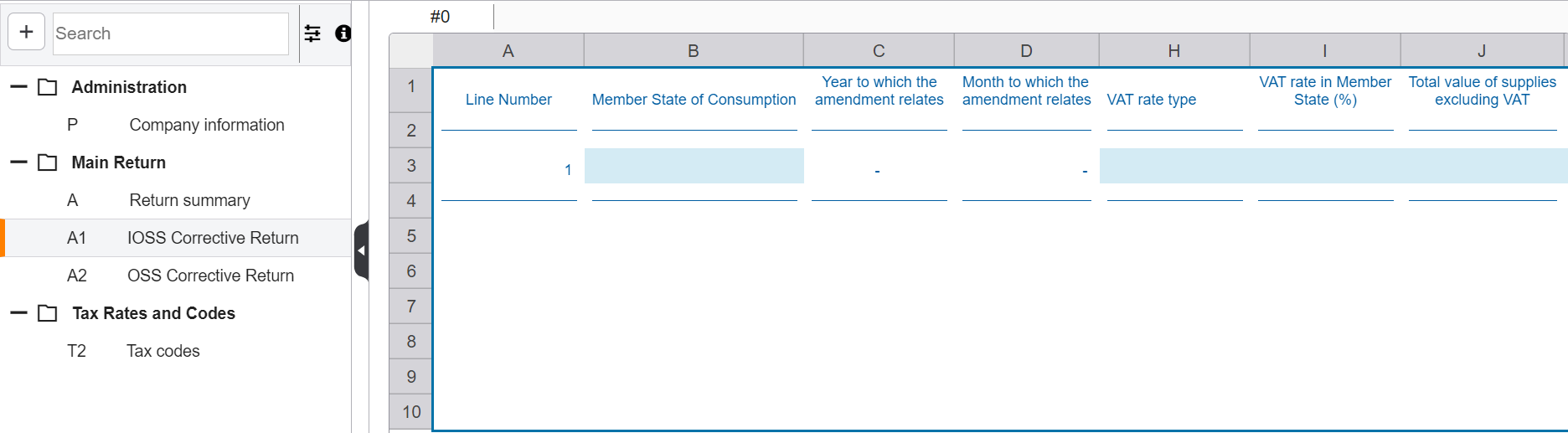
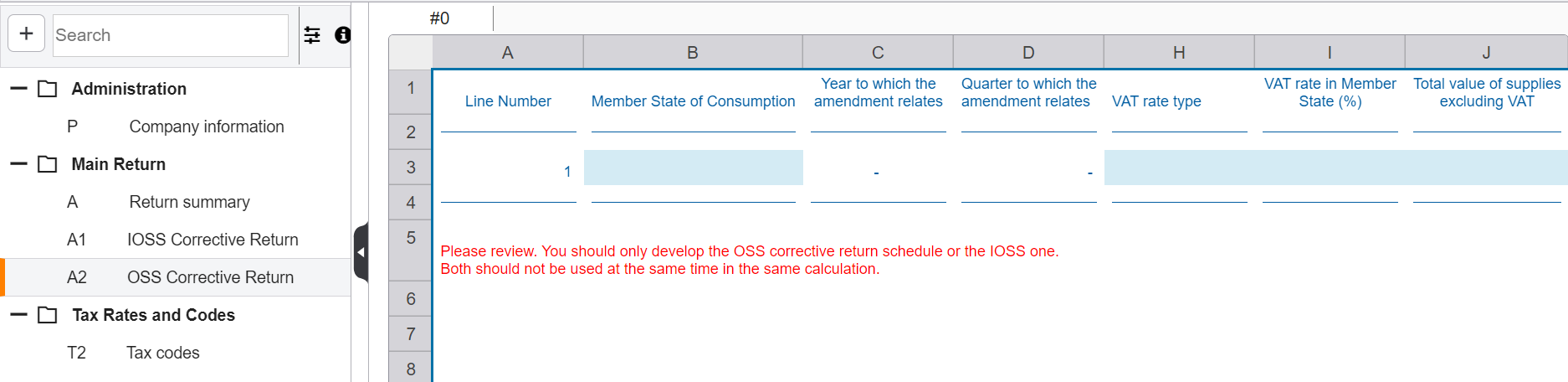
To make corrections related to transactions in a previous period, you must develop the relevant correction sheet: for the One Stop Shop return (quarterly basis) sheet A1 and for the Import One Stop Shop return (monthly basis) A2 sheet.
These transactions must also be identified as corrections as part of the implementation process by setting the appropriate flag on import.
After import the transactions flow to the correction sheet. It is also possible to add the corrections manually.
Import One Stop Shop Corrections:
One Stop Shop Corrections:
note
You should only develop the OSS corrective return schedule or the IOSS one. Both shouldn't be used at the same time in the same calculation.
In the workbook validations remind you that you cannot enter a correction related to the same period or related to the country of submission. Also, it is not possible to use IOSS and OSS corrections at the same time. If both sheets are developed, a warning message is shown.
Each corrections sheet is carried forward in the next period.
Additional Resources
Refer to the following external resources for details about cross-border VAT e-commerce and the One-Stop Shop.