
Return status maintenance
Use the
Return Status Maintenance
screen to manage return statuses in ONESOURCE Indirect Compliance (OIC). You can customize the visibility and order of statuses, as well as manage both system-defined and custom statuses.Standard return statuses include:
- Draft
- Ready for Review
- Review Complete
- Signed Off
- Ready to File
- Filed
- Final
Overview
The
Enhanced Return Status Configuration
feature gives you control over return statuses. You can:- Decide which return statuses are visible.
- Set the display order of statuses.
- Add or remove custom statuses.
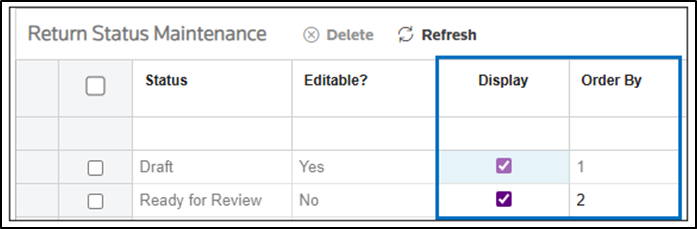
Key features
Customizable Visibility and Order
- Use theDisplayswitch to show or hide return statuses.
- Use theOrder Byfield to reorder statuses.
note
These options are available for both system-defined and custom statuses.
System vs. custom statuses
Type | Can be deleted? | Can be reordered? | Can be hidden? |
|---|---|---|---|
System-defined | No | Yes | Yes (with restrictions) |
Custom | Yes | Yes | Yes |
note
You can't delete system-defined statuses.
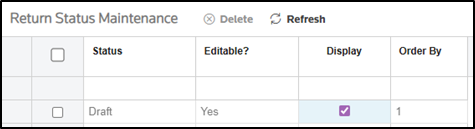
Special handling: Draft status
The
Draft
status is a default system status.- You can't hide or reorder theDraftstatus.
- The system always displaysDraftwhen you create a new return.
Usage check before hiding
If you try to hide a status that is currently in use:
- The system displays a warning message.

- The system blocks the action to prevent data inconsistency.
Create new custom statuses
When you add a new custom return status:
- Turn on theDisplayswitch.
- Enter a value in theOrder Byfield to set its position.
Summary of actions
Action | System status | Custom status |
|---|---|---|
Switch display | Yes (except Draft ) | Yes |
Change order | Yes (except Draft ) | Yes |
Delete status | No | Yes |
Add new status | No | Yes |