
Defer transactions
You can defer transactions to a future reporting period. All deferrals are transparent and have a reportable audit trail.
- Select the transactions to defer. If you're deferring more than one transaction, the result of the deferral will need to be the same for each, such as deferring to the same reporting date.
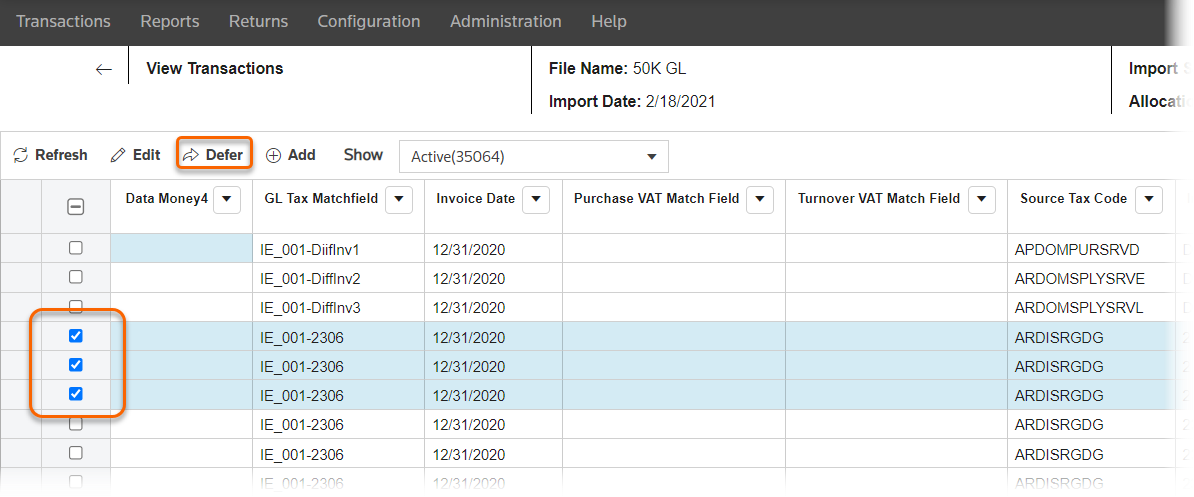
- SelectEdit.
- SelectDefer transactions.
- Enter the updatedReporting Date.
- SelectSave.
- SelectRefresh.
- SelectTypeto show the type of edit for these transactions.
- SelectDeferralto show the type of edit for these transactions. Within this list:
- Totransactions have been deferred to this updated reporting date. (Where the type isEdited.)
- Fromtransactions have been deferred from this reporting date. (Where the type isReversal.)
These transactions update in the
Edited
view of the Import Details
window.You can also view all transactions deferred in the Deferred Transactions report.