Transaction warnings
Several standard exception tests run automatically on import. For example:
- Missing transactional data, such as Invoice ID, commodity codes for Intrastats.
- Tax rate discrepancy where the tax on the transaction is different from expected tax code rate.
- Unusual reporting date where the date falls on a weekend or jurisdiction bank holiday.
Configuring import warnings
Transaction warnings are initially configured at implementation; you should request any additional warnings via the client super user.
- From theConfigurationmenu, selectImport Warnings/Rulesto view any warnings.
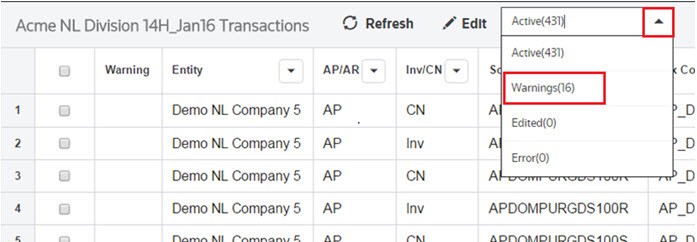
- SelectWarningsfrom the dropdown. View imported transactions with a warning fromWarningsinImport Details.