
External user access
Prefer a video? External user access
Administrators can set up trust access between tenants using the
External User Access
screen. note
To set up a Trust relationship, contact Client Manager Support from ONESOURCE.
Types of trust relationships
- Regular Trust:The Child tenant approves user access requests made by the Parent tenant.
- Super Trust:Users are directly assigned access to the Child tenant without needing approval from the Child tenant Administrator.
Roles of Parent and Child tenants
A Parent tenant grants access to its users, and a Child tenant either approves or receives access automatically.
- Parent Tenant (Tenant A):Initiates the request via theAccess Other Accountstab to add user access requests.
- Child Tenant (Tenant B):Receives and approves the request to grant external users access.
Set up external user access
Step 1: Parent account (Tenant A) administrator role
- Log into ONESOURCE and go to theExternal User Accessscreen.
- Select theAccess Other Accountstab, then selectTenant Bas the Child account.
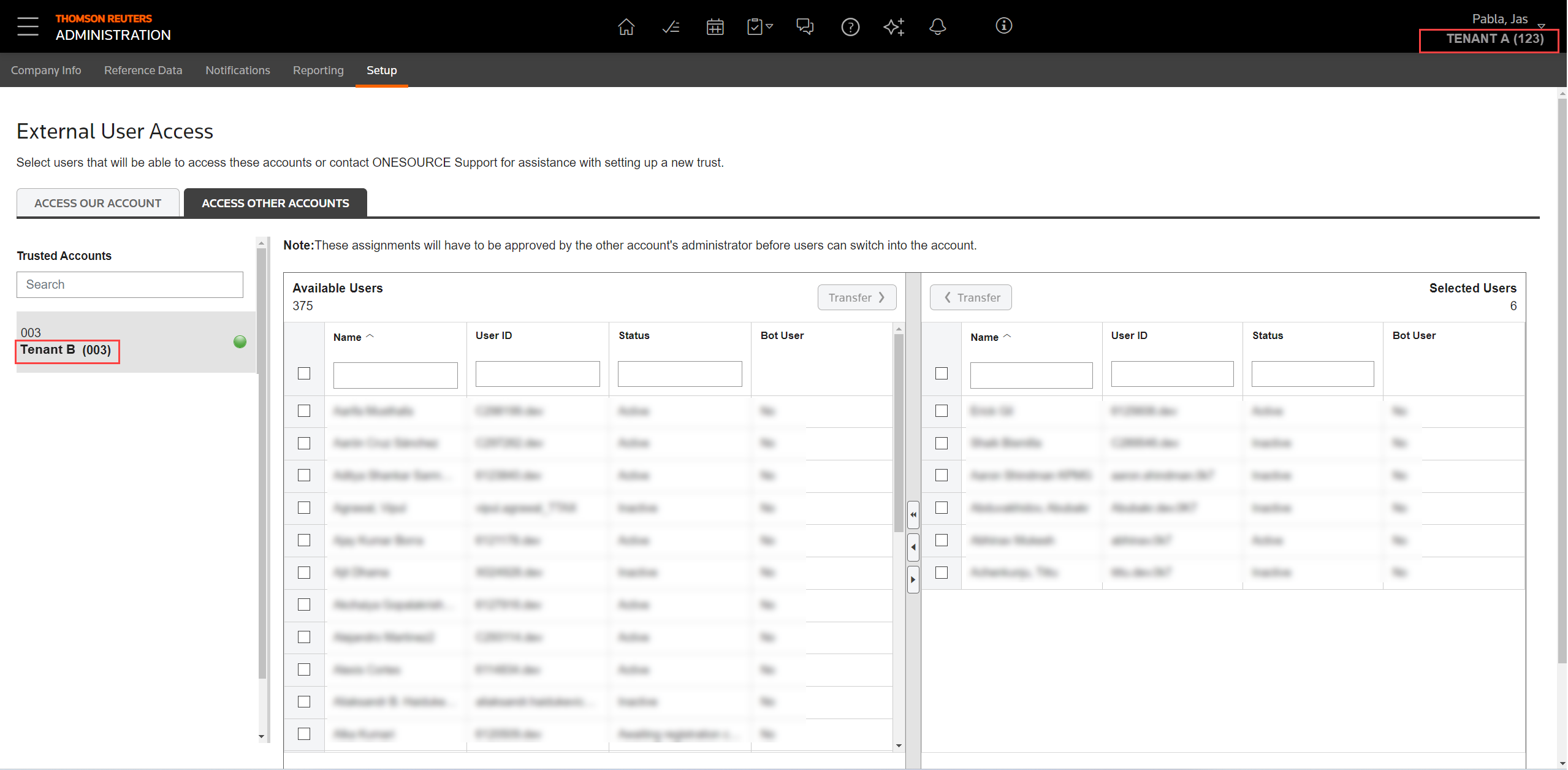
- Select and transfer the list of users fromTenant Ato request access toTenant B.
Step 2: Child account (Tenant B) administrator role
Tenant A
sends a request to Tenant B
, which appears on the External User Access
screen under the Access Our Account
tab.- Review the list of requested users fromTenant Aand approve their access.
- Once approved, users fromTenant Acan access theTenant Baccount.Tenant Badministrator can manage their permissions accordingly.
note
- Tenant Bcan manage permissions and access forTenant Ausers. However,Tenant Bcan't modify core data or delete users sinceTenant Acontrols their accounts.
- Users can create accounts directly in Tenant B without needing a presence in Tenant A.
- Users can switch between tenants viaSwitch Account, eliminating the need for duplicate accounts.
- A green circle next to an account in the Trusted Accounts column indicates users are in the Selected Users column for that account.
- The application removes the green circle when users are moved out of the Selected Users column.
Considerations for external users
- Trust relationships require a one-time setup, unless you add a new tenant.
- Administrators control the trust set and user access. Thomson Reuters only facilitates the initial setup.
- Users with access to multiple tenants can switch accounts after signing in.
- Switching accounts remains optional. You can create and manage users separately in each tenant.
- Single Sign-on (SSO) enabled tenants use a single sign in URL, and users will be directed to their assigned home tenant.