
Preview files stored in the Documents area
To preview a document of one of the following types from within the Documents screen, select the document name.
When you preview a document in the viewer, you can use the icons at the top of the preview screen to download or rotate the document, and view bookmarks in PDFs.
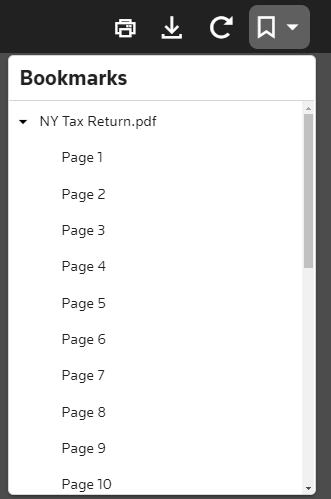
To download the file you are previewing as a PDF, select
Download as PDF
.To download the file you are viewing in its native format, select
Download
.note
Other file types are available only for download.
File type | Description |
|---|---|
BMP | Bitmap image |
CSV | Microsoft Excel comma separated values |
DOC | Microsoft Word 97 - 2003 document |
DOCM | Microsoft Word macro-enabled document |
DOCX | Microsoft Word document |
DOT | Microsoft Word template |
DOTX | Microsoft Word template |
EML | Microsoft Outlook Express message |
GIF | Graphic interchange bitmap image |
HTML | Hypertext markup language |
ICO | Icon |
JFIF | JPEG image |
JPE | JPEG image |
JPEG | JPEG image |
JPG | JPEG image |
MHT | MHTML document |
MSG | Microsoft Outlook message |
ODP | OpenOffice OpenDocument presentation |
ODS | OpenOffice OpenDocument spreadsheet |
ODT | OpenOffice OpenDocument text |
PDF | Portable document format |
PNG | Portable network graphic |
PPT | Microsoft PowerPoint 97 - 2003 presentation |
PPTX | Microsoft PowerPoint presentation |
RTF | Rich Text Format |
TIFF | Tagged Image File Format |
TXT | Text document |
VSD | Microsoft Visio document |
WMF | Microsoft Windows metafile image |
XLS | Microsoft Excel 97 - 2003 spreadsheet |
XLSB | Microsoft Excel binary spreadsheet |
XLSM | Microsoft Excel macro-enabled spreadsheet |
XLSX | Microsoft Excel spreadsheet |
XML | Extensible Markup Language |
XPS | XML Paper Specification |