
Give E-banking access to a new employee
Check whether your agreement allows for another user. If it doesn’t, you'll need to contact our sales department. If it does, take the following steps as an administrator:
- Sign into Pagero Online.
- SelectSettingsin Pagero Online.
- SelectUser, thenNew User, and enter the new user's details.
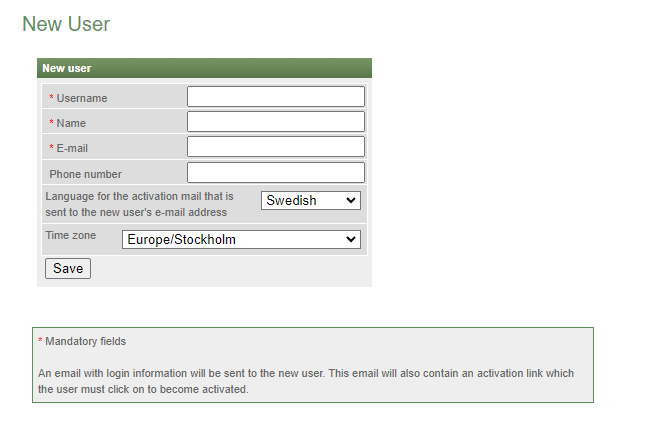
- The new user receives an activation email to set their password and complete account activation.
- Once the account is activated, give authorizations in the E-banking solution underSettingsin Pagero Online.
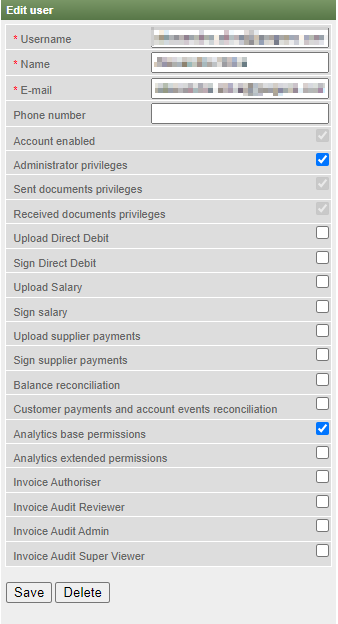
- SelectUserand choose the user for whom you want to set an authorization.
- A list of available authorizations appears. Select the roles to assign to the user, then select theSaveoption to confirm.
Related Content
-
Manage user for leave of absence
Format: Article
-
Manage user for leave of absence
Format:
Article
-
Update bank information
Format:
Article