
Search for sent files
Pagero Online saves all files for 3 months by default, offering basic search options. You can pay for longer storage and extended search functionality if needed.
Outbound (sent files)
- Sign into Pagero Online.
- Change the status toSent.
- Select the magnifying glass icon to search for sent files.
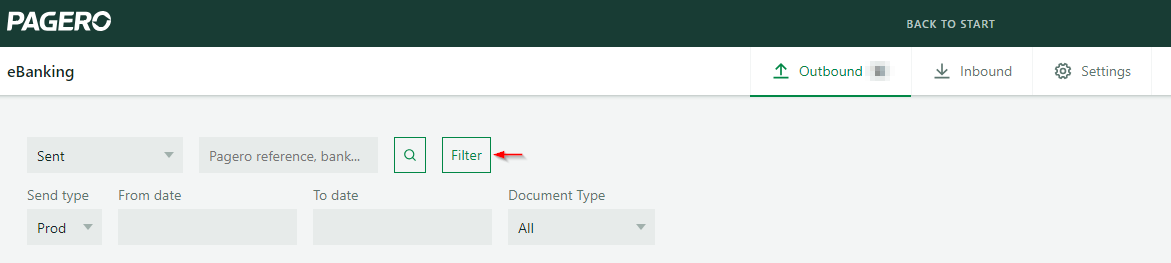
- SelectFilterto enter necessary criteria such as Send type, From date, To date, and Document type.
- Provide the required information and select the magnifying glass icon to initiate the search.
Inbound (downloaded files)
- Sign into Pagero Online.
- Change the status toReceived.
- Select the magnifying glass icon to search for received files.
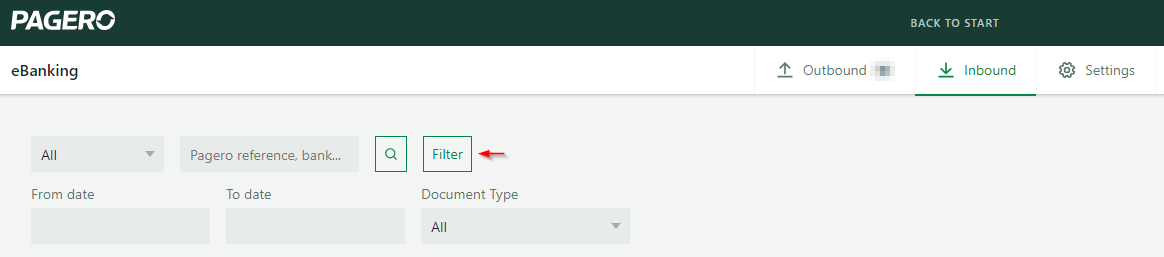
- SelectFilterto enter necessary criteria such as From date, To date, and Document type.
- Provide the required information and select the magnifying glass icon to initiate the search.
Related Content
-
Set authorizations by file type for administrators
Format: Article
-
Switch from BgLink to E-banking
Format:
Article